
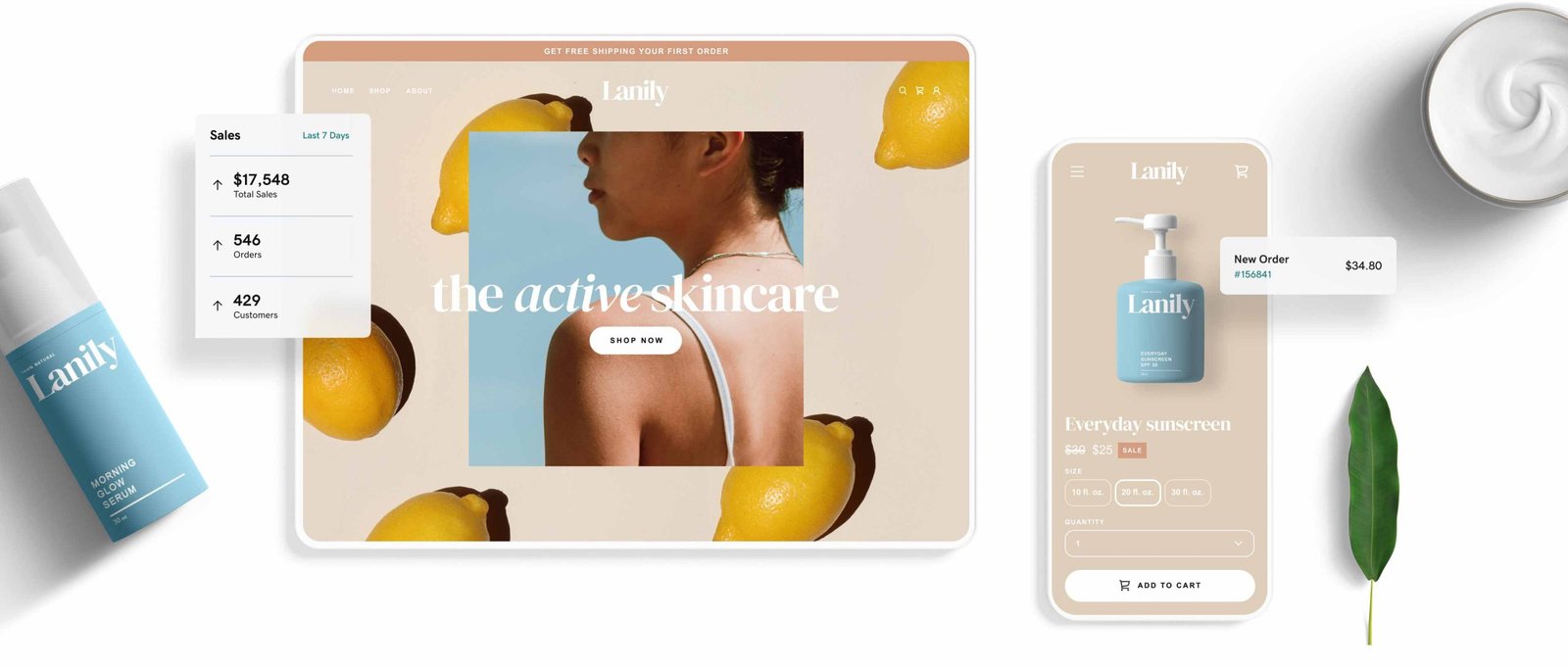
Designing an online store with a website builder is simple and efficient. It allows you to create a functional and beautiful online shop without coding skills.
Are you ready to start your online business but don’t know where to begin? Using a website builder can be your best solution. These tools help you design an attractive online store quickly. You don’t need to be a tech expert to use them.
With just a few clicks, you can set up a professional-looking store. This guide will walk you through the process. You’ll learn the basics and some key tips to make your store stand out. Let’s get started on turning your dream into reality!

Credit: colorlib.com
Choosing The Right Website Builder
Choosing the right website builder is crucial for the success of your online store. The right tool can save you time, money, and effort. It can also provide you with the necessary features to create a professional and functional store.
Key Features To Look For
When selecting a website builder, focus on the features that are essential for your online store. Here are some key elements to consider:
- Ease of Use: Ensure the builder is user-friendly, especially if you are not tech-savvy.
- Templates: Look for a variety of customizable templates to match your brand.
- eCommerce Tools: Check for built-in tools like shopping carts, payment gateways, and product management.
- SEO Features: Opt for a builder that offers SEO tools to help your store rank higher in search results.
- Mobile Responsiveness: Make sure your store looks good on all devices.
- Customer Support: Choose a builder that provides reliable customer support.
Popular Website Builders
Several website builders are popular among online store owners. Each has its own set of features and benefits. Here is a comparison table of some widely-used website builders:
| Website Builder | Ease of Use | eCommerce Tools | SEO Features | Customer Support |
|---|---|---|---|---|
| Shopify | High | Extensive | Strong | 24/7 Support |
| Wix | Very High | Good | Good | Phone & Email |
| Squarespace | High | Moderate | Strong | Email Support |
| WooCommerce | Moderate | Extensive | Strong | Community Support |
Shopify is a top choice for many due to its extensive eCommerce tools and 24/7 customer support. Wix is very easy to use, making it ideal for beginners. Squarespace offers strong SEO features and beautiful templates. WooCommerce is great for those who want to use WordPress and need extensive customization options.
Setting Up Your Account
Designing an online store starts with setting up your account. This is the first step to bring your business to life on the internet. Let’s break down this process into simple steps.
Creating An Account
First, you need to create an account on your chosen website builder. Here is a step-by-step guide:
- Visit the website builder’s homepage.
- Look for a button that says “Sign Up” or “Get Started”.
- Click the button and fill in the required information. This usually includes your name, email address, and a password.
- Check your email for a confirmation link. Click the link to verify your account.
Now, you have an account. It’s time to choose the right subscription plan.
Selecting A Subscription Plan
Website builders offer different subscription plans to fit various needs. Here’s what you need to consider:
| Plan Type | Features | Cost |
|---|---|---|
| Basic |
|
Low cost |
| Standard |
|
Medium cost |
| Premium |
|
High cost |
Choose a plan based on your needs and budget. Many website builders offer a free trial. Use this to explore the features before committing.
Once you select a plan, you are ready to start designing your online store. This foundation will help you create a professional and functional website.
Selecting A Template
Designing an online store can be an exciting journey. One of the first steps is selecting a template. The right template sets the tone for your store. It ensures a user-friendly experience. Let’s explore this process in detail.
Template Categories
Website builders offer various template categories. Each category suits different business needs. Some common categories include:
- Fashion & Apparel: Ideal for clothing stores and boutiques.
- Electronics: Perfect for gadgets and tech products.
- Home & Living: Great for furniture and home décor.
- Health & Beauty: Suitable for cosmetics and wellness products.
Choosing the right category helps to align with your brand. It also ensures the template includes relevant features.
Customizing Your Template
After selecting a template, customization is key. Customizing your template makes your store unique. Here are some steps to follow:
- Logo and Branding: Add your logo. Use your brand colors.
- Homepage Layout: Adjust the layout. Highlight key products.
- Fonts and Typography: Choose fonts that reflect your brand.
- Images and Banners: Use high-quality images. Make sure they are relevant.
Personalizing these elements ensures your store stands out. It also creates a cohesive brand experience.
Tables can help organize your customization options:
| Element | Customization Tip |
|---|---|
| Logo | Use a high-resolution image. |
| Colors | Stick to your brand palette. |
| Fonts | Ensure readability on all devices. |
| Images | Optimize for fast loading. |
These steps will help create a polished online store. Happy designing!
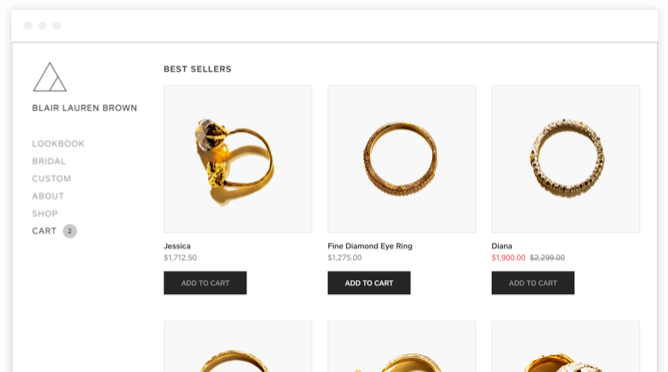
Credit: www.weebly.com
Adding Products
Designing an online store involves many steps. One essential part is adding products. This section will guide you through organizing your inventory and writing product descriptions. Both are critical for a successful online store.
Organizing Your Inventory
Organize your products into clear categories. This makes it easy for customers to find what they need. Group similar items together. Use subcategories if necessary. For example, if you sell clothes, you might have categories like “Men,” “Women,” and “Kids.” Under these, you could have subcategories like “Shirts,” “Pants,” and “Accessories.” A well-organized inventory improves the shopping experience.
Use tags to label products. Tags help customers find items through search. For instance, tags like “summer,” “casual,” or “formal” can be useful. Make sure your categories and tags are relevant and specific. This helps with site navigation and search engine optimization (SEO).
Writing Product Descriptions
Product descriptions are your sales pitch. Write clear and concise descriptions. Highlight the key features and benefits of the product. Use bullet points for easy reading. Keep sentences short and straightforward. Avoid technical jargon. Your goal is to inform and persuade the customer.
Incorporate keywords naturally. Keywords help with SEO. For example, if you sell “red running shoes,” use this phrase in your description. But don’t overdo it. The text should still read naturally. Provide details like size, color, and material. These details help customers make informed decisions.
Include a call to action. Encourage customers to buy. Phrases like “Add to Cart” or “Buy Now” work well. Make sure your descriptions are error-free. Typos can hurt your credibility.
Setting Up Payment Options
Setting up payment options for your online store is crucial. Customers need a smooth, secure way to pay. This guide will help you set up payment gateways and configure payment settings. Let’s dive in.
Choosing Payment Gateways
First, choose the right payment gateways. Popular options include PayPal, Stripe, and Square. Each has its own features and fees. Consider what works best for your business. PayPal is user-friendly and widely accepted. Stripe offers great customization options. Square is good for both online and in-person sales.
Check the fees each gateway charges. Some have flat fees, others charge a percentage. Make sure you understand the costs. This will help you price your products correctly. Also, look for gateways with good security features. Protecting your customers’ data is vital.
Configuring Payment Settings
After choosing your gateways, configure your payment settings. This step connects your store to the payment processor. Go to the settings section in your website builder. Look for the payment options menu. Here, you will add the gateways you selected.
Enter the required information. This might include API keys or account details. Follow the instructions carefully. Each platform has different steps. Make sure everything is set up correctly. Test the payment process before going live. This ensures everything works smoothly for your customers.
Offer multiple payment options if possible. Some customers prefer credit cards. Others might like PayPal or other methods. Giving choices can help increase sales. Also, make sure to enable SSL for secure transactions. This adds an extra layer of protection for your customers.

Credit: m.youtube.com
Designing Your Store Layout
Designing your store layout is a crucial step in creating an online store. The layout impacts user experience and sales. A clear and intuitive design will guide visitors to make purchases. Let’s explore how to design different parts of your store.
Home Page Design
The home page is the first thing visitors see. It should be clean and inviting. Use high-quality images to showcase your products. Include a clear call-to-action, like “Shop Now” or “Browse Collections”. Keep the navigation simple. Make sure visitors can find what they need quickly.
Category And Product Pages
Category and product pages help organize your products. Each category page should have a clear title and description. Use filters to help visitors find specific items. On product pages, include detailed descriptions and multiple images. Highlight key features and benefits. Add customer reviews to build trust.
Optimizing For Seo
Search Engine Optimization (SEO) is crucial for your online store’s success. It helps your store appear in search results. This brings more visitors to your site. Good SEO practices make your site easier to find. Let’s look at some ways to optimize your store for SEO.
Using Keywords Effectively
Keywords are the words people type into search engines. Use them wisely on your website. Start by researching what keywords your customers use. Tools like Google Keyword Planner can help. Choose keywords that match your products.
Place these keywords in important areas. Your titles, descriptions, and product names should include them. But, do not overuse keywords. This practice, known as keyword stuffing, can harm your SEO. Aim for a natural flow in your content.
Setting Up Meta Tags
Meta tags provide information about your webpage to search engines. They include the title tag and meta description. The title tag is the clickable headline in search results. It should be clear and include your main keyword.
The meta description is a short summary of the page. It appears below the title in search results. A good meta description entices users to click. Include your main keyword and keep it under 160 characters.
Both title tags and meta descriptions should be unique for each page. This helps search engines understand the content of each page. Ensure your meta tags are concise and descriptive.
Launching Your Online Store
After designing your online store, it’s time to make it live. This step includes testing your store to ensure everything works well and publishing your website. Follow these steps to ensure a smooth launch.
Testing Your Store
Testing your store before launching is crucial. It helps catch any errors or issues. Here’s a checklist to help you:
- Ensure all product pages load correctly.
- Check that the shopping cart works without issues.
- Verify that all images display properly.
- Test the checkout process from start to finish.
- Make sure your payment gateways are working.
- Check for mobile responsiveness.
- Review your website for any spelling or grammatical errors.
To test your store, you can use friends or family as beta testers. They can provide feedback on user experience and usability.
Publishing Your Website
Once testing is complete and you’re satisfied, it’s time to publish your website. Most website builders have a simple process for this. Typically, you will find a “Publish” button in your website builder’s dashboard. Clicking this button will make your website live for the world to see.
Before you publish, ensure the following:
- Your domain name is connected to your website.
- All SEO settings are configured properly.
- You’ve set up Google Analytics to track visitors.
- Your website is secure with an SSL certificate.
Publishing your website is an exciting step. Your online store is now open for business. Start promoting it on social media, and tell your friends and family. Welcome your first customers and begin your journey as an online store owner.
Frequently Asked Questions
How To Build A Website For An Online Store?
To build an online store, choose a platform, register a domain, select a theme, add products, and set up payment gateways.
What Is The Best Website Builder For An Online Store?
Shopify is the best website builder for an online store. It offers robust features, ease of use, and excellent customer support.
How Much Does It Cost To Build An Online Store Website?
Building an online store costs between $500 and $5,000. This depends on design, features, and developer fees.
Can You Build An Online Store With Wix?
Yes, you can build an online store with Wix. It offers customizable templates, secure payment options, and inventory management.
Conclusion
Creating an online store with a website builder is straightforward. Follow the steps, and your store will be ready. Choose a design, add products, and set up payments. Ensure your site is user-friendly and mobile responsive. Use quality images and clear product descriptions.
Test your store before launching it. Regular updates and good customer service will help your store succeed. Start today and grow your business online. Happy selling!


