
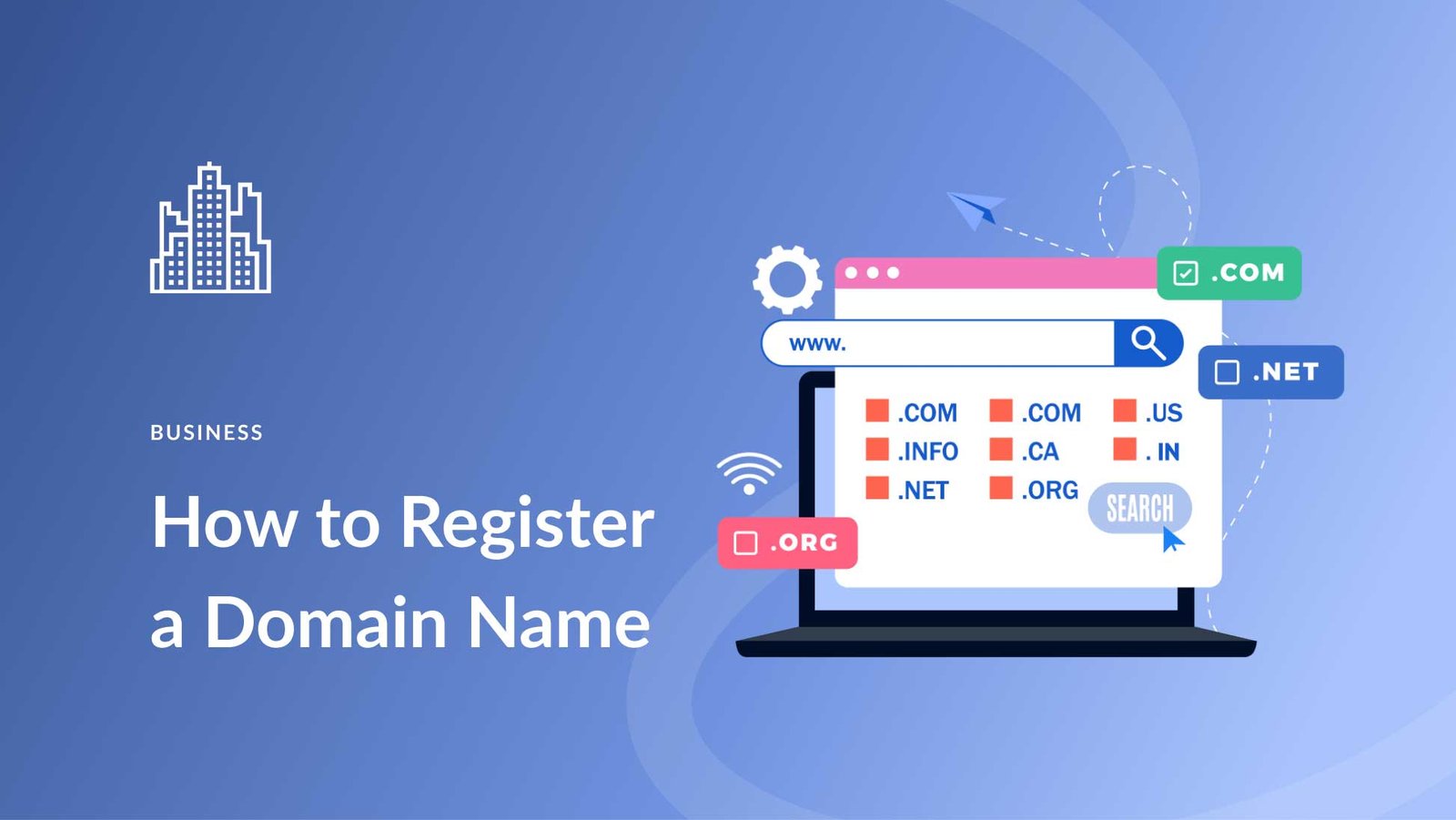
Registering a domain name is the first step to creating your online presence. It’s simple and essential for building a website.
In today’s digital world, having your own domain name is crucial. It’s your unique address on the internet. Whether you’re starting a blog, an online store, or a portfolio, a domain name makes you stand out. It shows professionalism and helps people find you easily.
In this guide, we’ll walk you through the steps to register a domain name. You’ll learn the best practices and tips to get the perfect domain for your needs. So, let’s get started on claiming your piece of the internet!
Choosing The Right Domain Name
Choosing the right domain name is crucial for your online presence. It should be simple, memorable, and relevant to your brand. A well-chosen domain name can improve your website’s visibility and help attract more visitors.
Brainstorming Ideas
Start by listing words related to your business or niche. Think about keywords that potential visitors might use. Combine these words in different ways to create unique and catchy domain names.
- Use a thesaurus to find synonyms.
- Play with word combinations.
- Consider short phrases that describe your business.
Involve friends or colleagues in the brainstorming session. They might offer fresh perspectives or ideas you hadn’t considered. You can also use online tools to generate domain name ideas.
Checking Availability
After brainstorming, check if your chosen domain names are available. Many domain registration platforms offer tools to search for domain availability. Simply enter your desired domain name and see if it’s taken.
| Domain Name | Availability |
|---|---|
| example.com | Unavailable |
| mybusinesssite.net | Available |
| bestproductshop.org | Unavailable |
If your preferred domain is taken, consider alternative extensions like .net, .org, or .biz. You can also try adding a prefix or suffix to your domain name.
- Try different domain extensions.
- Add prefixes or suffixes.
- Use numbers or hyphens sparingly.
Once you find an available domain, register it quickly. Popular domain names get snapped up fast.

Credit: www.wikihow.com
Understanding Domain Extensions
Choosing the right domain extension is crucial for your website. Domain extensions, also known as top-level domains (TLDs), are the suffixes at the end of web addresses. They help categorize websites and can influence how people perceive your site. Let’s dive into the different types of domain extensions.
Common Extensions
Common domain extensions are widely recognized and trusted by users. Here are some of the most popular ones:
- .com – Stands for “commercial” and is the most popular TLD.
- .org – Used by non-profit organizations and charities.
- .net – Originally intended for network services but now used broadly.
- .edu – Reserved for educational institutions.
- .gov – Used by governmental entities in the United States.
These extensions are well-established and convey credibility. They are usually the first choice for businesses and organizations.
Specialty Extensions
Specialty domain extensions are less common but can be highly specific. They offer unique opportunities for branding. Here are some examples:
| Extension | Purpose |
|---|---|
| .tech | Technology-related websites and startups. |
| .store | E-commerce websites and online stores. |
| .blog | Personal and professional blogs. |
| .design | Creative portfolios and design websites. |
| .xyz | General use, often for innovative projects. |
These extensions can make your website stand out. They help convey what your site is about.
Choosing the right domain extension can impact your online presence. Consider your audience and the purpose of your site. With the right extension, you can enhance your branding and build trust with your visitors.
Finding A Domain Registrar
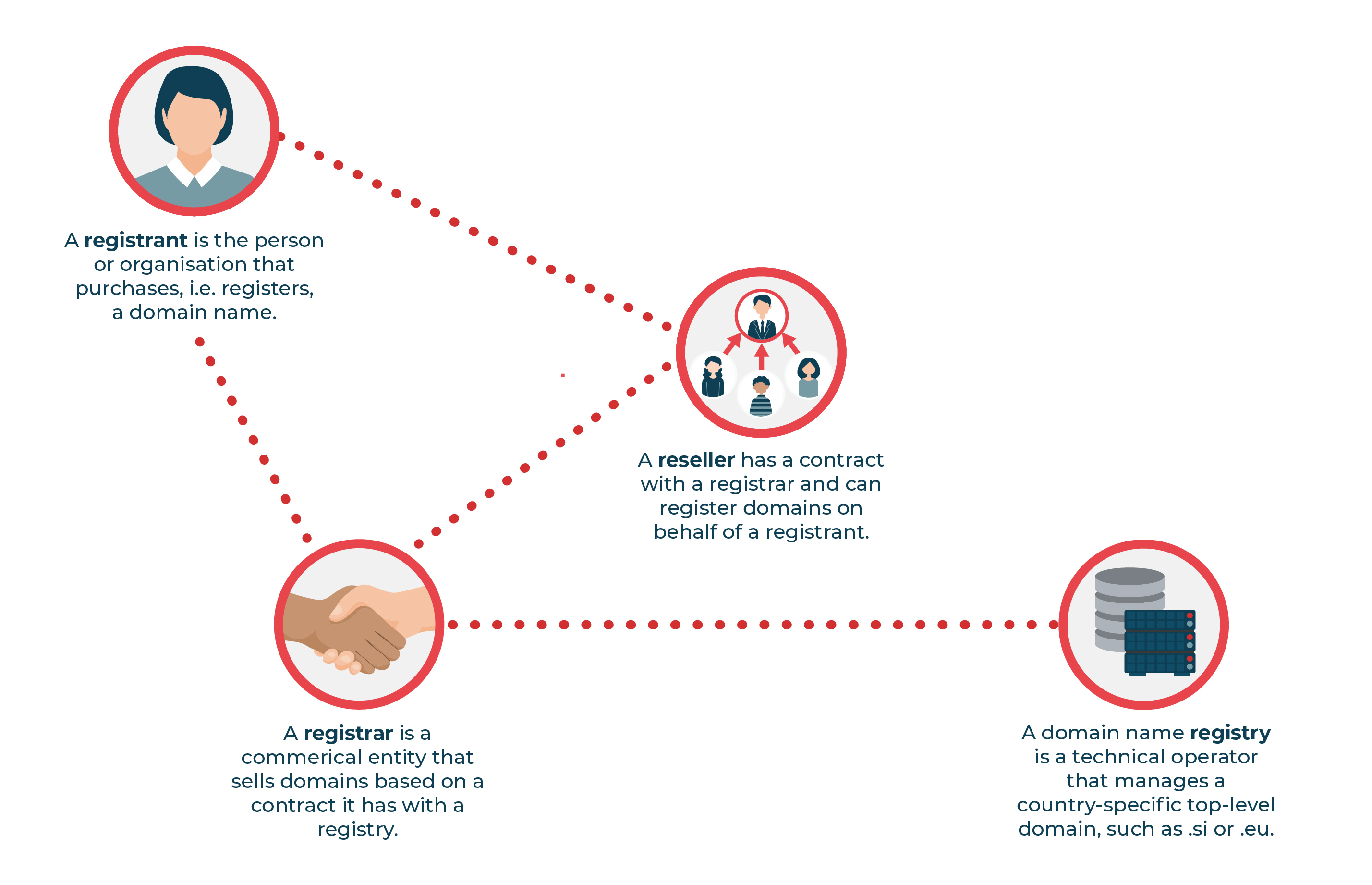
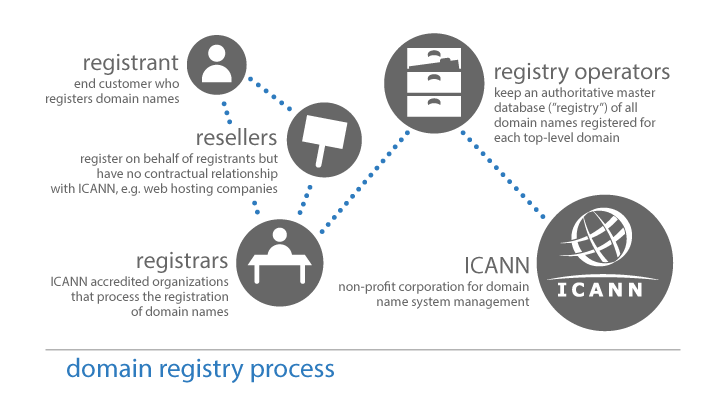
Choosing the right domain registrar is crucial for your website. A domain registrar is a company that handles the reservation of domain names. This step is essential in establishing your online presence.
Top Registrars
There are many domain registrars available. Here are some of the top options:
- Namecheap: Known for affordable prices and user-friendly interface.
- GoDaddy: Offers a wide range of services, including website hosting.
- Bluehost: Popular for its excellent customer support and bundled services.
- Google Domains: Provides a simple and clean interface with reliable services.
- HostGator: Offers competitive prices and various hosting plans.
Comparing Prices And Features
Prices and features can vary significantly between registrars. Here is a comparison table to help you decide:
| Registrar | Price (per year) | Features |
|---|---|---|
| Namecheap | $8.88 | Free WHOIS privacy, easy-to-use dashboard |
| GoDaddy | $11.99 | 24/7 support, domain auction |
| Bluehost | $12.99 | Free domain for first year with hosting |
| Google Domains | $12.00 | Free WHOIS privacy, easy integration with other Google services |
| HostGator | $12.95 | 24/7 support, various hosting plans |
Consider what features you need. Free WHOIS privacy is essential for protecting personal information. 24/7 support can be a lifesaver if you run into issues. Some registrars offer bundled services, such as web hosting or email accounts, which can be cost-effective.
Registering Your Domain Name
Registering a domain name is a crucial step for any online presence. It gives your website a unique identity on the internet. This guide will walk you through the process, ensuring your domain is registered quickly and easily.
Creating An Account
Before you can register your domain, you need to create an account with a domain registrar. This is a company that manages the reservation of internet domain names.
- Visit the website of your chosen domain registrar.
- Click on the “Sign Up” or “Create Account” button.
- Fill in your personal details, including your name, email, and contact number.
- Choose a strong password for your account.
- Verify your email address by clicking the link sent to your inbox.
Once your account is verified, you can proceed to select and register your domain.
Selecting Your Domain
Choosing the right domain name is essential. It should be easy to remember and relevant to your business or purpose. Follow these steps to select your domain:
- Brainstorm: Make a list of potential domain names.
- Check Availability: Use the domain registrar’s search tool to see if your desired name is available.
- Consider Alternatives: If your first choice is taken, consider variations or different extensions (.com, .net, .org).
Once you find an available domain, you can proceed with the registration:
- Select the domain from the search results.
- Choose the registration period (e.g., 1 year, 2 years).
- Add any additional services if needed (e.g., domain privacy).
- Review your selection and proceed to checkout.
- Enter your payment details and complete the purchase.
After completing these steps, your domain will be registered, and you can start building your website.
Completing The Purchase
Completing the purchase of your domain name is the final step. This process is straightforward. Follow these steps to secure your domain name.
Adding To Cart
First, add the domain name to your cart. Click the button that says “Add to Cart.” This action confirms your selection. You can view your selected domain in the cart. Ensure it is the correct one.
Entering Payment Information
Next, enter your payment information. Provide your credit card details. Double-check the information for accuracy. Then, click “Submit” or “Purchase.” Your payment will process. Wait for the confirmation message.
Credit: www.centr.org
Configuring Your Domain
Configuring your domain is an essential step after registering it. This process ensures your domain is ready to host your website and handle email services. Let’s break down the main tasks involved in configuring your domain.
Setting Up Dns
DNS stands for Domain Name System. It translates your domain name into an IP address. This makes your website accessible on the internet. To set up DNS, log into your domain registrar’s dashboard. Look for the DNS settings. Add or edit the required records. Common records include A, CNAME, and MX. The A record points your domain to your website’s IP address. CNAME records are aliases for your domain. MX records handle email services. Make sure you save your changes.
Connecting To A Website
Now, connect your domain to your website. If you use a website builder, follow its specific instructions. Typically, you need to update the nameservers. Nameservers are provided by your website host. Log into your domain registrar’s dashboard again. Find the section for nameservers. Enter the nameservers given by your host. Save the changes. It may take some time for the changes to take effect. Once done, your domain will direct visitors to your website.
Renewing Your Domain
Keeping your domain name active is crucial for your online presence. Renewing your domain ensures your website stays accessible to visitors. Understanding the renewal process can help you avoid losing your domain. This guide will explain the different ways to renew your domain name.
Auto-renewal Options
Many domain registrars offer auto-renewal options. This feature automatically renews your domain before it expires. It’s a convenient way to ensure you never lose your domain. Here’s how to set it up:
- Log in to your domain registrar account.
- Go to the domain management section.
- Select the domain you want to auto-renew.
- Enable the auto-renewal option.
- Ensure your payment details are up-to-date.
Auto-renewal saves time and reduces the risk of losing your domain. It’s a smart choice for busy individuals or businesses.
Manual Renewal Process
If you prefer more control, you can manually renew your domain. This process requires you to renew your domain before it expires. Follow these steps to manually renew your domain:
- Log in to your domain registrar account.
- Navigate to the domain management section.
- Select the domain you want to renew.
- Click on the renew option.
- Choose the renewal period (1 year, 2 years, etc.).
- Complete the payment process.
Manual renewal allows you to control the renewal period. It’s ideal for those who prefer to manage their expenses closely. Remember to set calendar reminders to avoid missing the renewal date.
Important Note: Failing to renew your domain can result in losing it. Always keep track of your domain’s expiration date. Whether you choose auto-renewal or manual renewal, ensure your domain remains active. Your online presence depends on it.
Credit: blog.cloudflare.com
Protecting Your Domain
Securing your domain is crucial. This ensures your online presence stays safe. Many threats can affect your domain. From privacy breaches to expiration issues. Let’s explore how to protect your domain effectively.
Enabling Privacy Protection
Privacy protection is essential. It hides your personal information from the public. This prevents spammers and scammers from accessing your details. Many registrars offer this service.
Here’s why it’s important:
- Reduces spam emails by hiding your email address.
- Protects against identity theft by concealing your name and address.
- Keeps your contact information private.
Most registrars charge a small fee for this. It’s worth the investment. Your privacy matters.
Monitoring Expiration Dates
Always keep an eye on your domain’s expiration date. Missing renewal can lead to losing your domain. Here’s how to stay on top of it:
- Set up reminders in your calendar.
- Enable auto-renewal if available.
- Keep your contact information up-to-date with your registrar.
Many registrars send renewal notices. Check your email regularly. Staying proactive helps you avoid losing your domain.
Frequently Asked Questions
How Do I Register My Own Domain Name?
To register your domain name, choose a registrar like GoDaddy or Namecheap. Search for your desired domain. Confirm availability. Proceed to checkout and complete payment. Lastly, follow the registrar’s setup instructions.
How Do I Permanently Buy A Domain Name?
You can’t permanently buy a domain name. Register it through a registrar and renew it annually to maintain ownership.
How Much Does It Cost To Register A Domain Name In The Us?
Domain registration in the US usually costs between $10 to $50 annually, depending on the registrar and domain type.
How To Register A Domain Name For Free?
Use services like Freenom to register a domain name for free. Select your desired domain and complete the registration process.
Conclusion
Registering a domain name is straightforward with these steps. Choose a unique name. Check availability. Select a trusted registrar. Complete the registration form. Pay the fee. Confirm your registration via email. Your domain is now ready. Start building your online presence.
Stay consistent with your brand. Remember, a good domain boosts credibility. Happy registering!


