
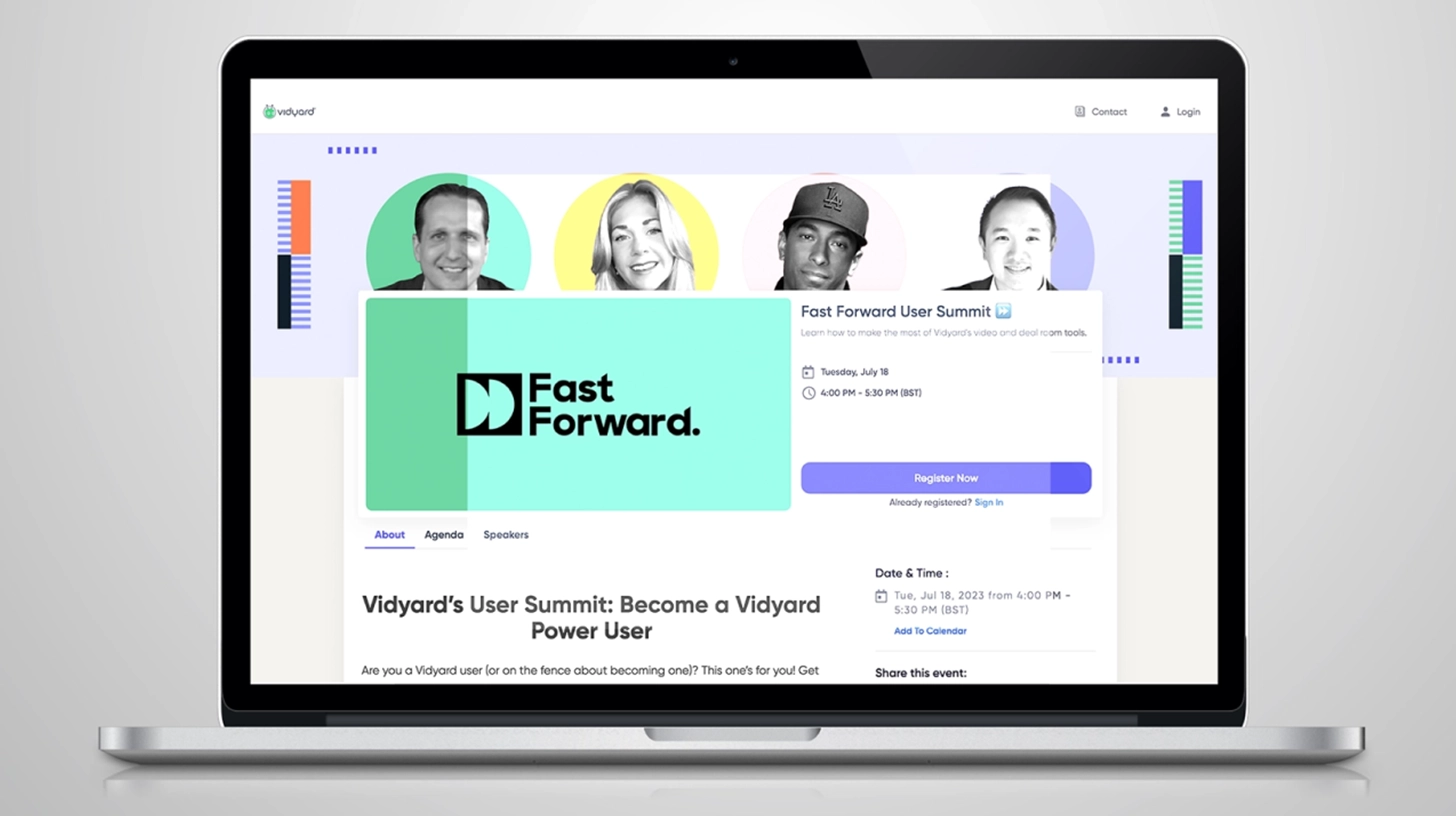
Creating an event website with a website builder is simple and efficient. It helps you manage details and attract guests.
In today’s digital age, having a dedicated event website is essential. Whether it’s a conference, wedding, or music festival, an event website provides all necessary information in one place. A website builder allows even those with no coding skills to create a professional-looking site.
This approach saves time and money, letting you focus on event planning. With the right tools, you can showcase event details, enable ticket sales, and engage with your audience. Ready to learn how? Let’s dive in and explore the steps to create your event website effortlessly.
Choosing The Right Website Builder
Creating an event website can be simple with the right tools. A website builder can help you design and launch your site quickly. But, selecting the right one is crucial for your success. This guide will help you choose the best website builder for your event.
Popular Website Builders
Here are some of the most popular website builders:
- Wix: Known for its flexibility and ease of use.
- Squarespace: Offers beautiful templates and strong customer support.
- Weebly: User-friendly and great for beginners.
- WordPress.com: Highly customizable with many plugins.
- Eventbrite: Specifically designed for event management.
Factors To Consider
When choosing a website builder, consider these factors:
| Factor | Description |
|---|---|
| Ease of Use | The builder should be easy to navigate and use. |
| Customization Options | Look for a builder that allows you to customize your site. |
| Templates | Choose a builder with a variety of templates to match your event theme. |
| Cost | Consider your budget and the pricing plans of the builder. |
| Support | Good customer support can be very helpful. |
Here are some questions to ask yourself:
- Do you need a simple website or a complex one?
- How much are you willing to spend?
- Do you need specific features like ticket sales or RSVP management?
Answering these questions can help you choose the best website builder for your needs.
Planning Your Event Website
Creating an event website is an exciting process. It requires careful planning to ensure everything goes smoothly. Planning your event website involves several key steps. Let’s break them down to make it easier for you.
Defining Your Goals
Start by defining your goals. Do you want to sell tickets? Share event details? Collect RSVPs? Knowing your goals will guide the website’s design and features. Clear goals help you stay focused. They also make it easier to measure success.
Identifying Your Audience
Next, identify your audience. Who will attend your event? What are their interests? Knowing your audience helps you create relevant content. It also influences the website’s design and tone. Tailor your website to meet their needs and preferences.
Setting Up Your Website
Creating an event website can be simple with the right tools. A website builder helps you design a site quickly. This guide will help you through the steps. Start with setting up your website.
Signing Up For An Account
First, choose a website builder that fits your needs. Popular options include Wix, Squarespace, and Weebly. Visit the website builder’s homepage. Look for a “Sign Up” or “Get Started” button. Click it to create an account.
You will need to provide some basic information. Enter your email address and create a password. Some builders may ask for more details. Follow the prompts to complete your registration. Once done, you’ll have access to your new account.
Selecting A Template
Next, you need to choose a template for your event website. Templates are pre-designed layouts. They make your site look professional. Browse through the available templates. Look for one that matches your event’s theme.
Most website builders offer categories to help you find the right template. Select a category related to events. Preview several templates before making a decision. This will give you an idea of how your site will look.
Once you find a template you like, select it. The builder will load it into your account. Now, you can start customizing it to fit your event. Change colors, fonts, and images to match your brand. This makes your website unique.

Credit: www.youtube.com
Customizing Your Template
Creating an event website with a website builder is a straightforward process. One of the key steps is customizing your template. This allows you to make your website unique and aligned with your event’s identity. Customizing the template can be a fun and creative task. Let’s explore some ways to do it.
Adjusting The Layout
Start with adjusting the layout of your chosen template. Most website builders provide drag-and-drop tools. These tools make it easy to rearrange sections. Move elements around until you’re happy with the look. Keep the user experience in mind. Ensure the layout is easy to navigate. A clean and organized layout will make a good impression.
Incorporating Your Branding
Next, incorporate your branding into the template. This includes adding your logo. Use your event’s color scheme throughout the site. Choose fonts that match your brand’s style. Consistent branding helps create a professional look. It makes your event website memorable. Don’t forget to add your event’s tagline or slogan. This adds a personal touch.
Adding Essential Pages
Creating an event website can be easy with a website builder. Adding essential pages is crucial. These pages provide attendees with all the information they need. Let’s focus on two critical pages: the Home Page and the Event Details Page.
Home Page
The home page is the first page visitors see. It should be welcoming and informative. Include a clear headline that states the event’s name and date. Add a brief description to generate interest. You might want to include:
- Event Logo: This adds a professional touch.
- Call to Action: Encourage visitors to register or buy tickets.
- Navigation Menu: Make it easy to find other pages.
Using high-quality images can enhance the appeal. Ensure the layout is clean and easy to navigate. The goal is to make a good first impression.
Event Details Page
The event details page provides more information. This page is crucial for potential attendees. Include the following sections:
- Event Schedule: List the date and time of each activity.
- Location: Provide the venue address and a map.
- Speakers: Introduce the speakers and their topics.
- FAQs: Address common questions about the event.
Adding a detailed schedule helps attendees plan their visit. Including a map with the venue address helps with directions. Brief bios of the speakers can attract more interest. An FAQ section can reduce inquiries and help attendees feel prepared.
Remember to keep all content clear and concise. Use simple language and short sentences to ensure understanding.

Credit: dryfta.com
Integrating Registration And Ticketing
Integrating registration and ticketing is crucial for event websites. It streamlines the process for attendees and organizers. A seamless registration system boosts user experience and increases attendance. Let’s explore how to integrate these features effectively.
Choosing A Registration Tool
First, select a reliable registration tool. Look for one that is easy to use. Ensure it supports your event type. Some popular tools are Eventbrite, Ticketmaster, and Cvent. These tools offer various features and customization options.
Check if the tool integrates well with your website builder. Test its user interface. Make sure it is simple for attendees. A good registration tool should also provide analytics. This helps you track registrations and manage data.
Setting Up Payment Options
Next, set up payment options. Choose secure payment gateways. Popular options include PayPal, Stripe, and Square. Ensure your payment system is user-friendly. Attendees should find it easy to complete transactions.
Offer multiple payment methods. This includes credit cards, debit cards, and digital wallets. Cater to different preferences. This increases the likelihood of ticket purchases. Make sure your payment system complies with security standards. This protects user data and builds trust.
Finally, test the entire process. From registration to payment. Ensure everything works smoothly. Fix any issues promptly. A seamless system will enhance your attendees’ experience and boost your event’s success.
Enhancing User Experience
Enhancing the user experience is crucial for any event website. It ensures visitors have a seamless and enjoyable interaction. This not only improves their experience but also increases the likelihood of them attending your event. Let’s explore two vital aspects of user experience: Mobile Responsiveness and Loading Speed.
Mobile Responsiveness
A mobile-responsive website adjusts to fit any screen size. This means it works well on phones, tablets, and desktops. A responsive design is important because many users access websites from their mobile devices. A site that is not mobile-friendly can frustrate users and drive them away. Make sure your event website builder supports responsive design. Test your site on various devices to ensure it looks and works well everywhere.
Loading Speed
Loading speed is another critical factor. Users expect websites to load in less than three seconds. Slow loading times can lead to higher bounce rates. This means visitors leave your site before it even loads. To enhance loading speed, compress images and use a reliable hosting service. Avoid heavy plugins that can slow down your site. Here are some tips to improve loading speed:
- Optimize images for the web
- Use a Content Delivery Network (CDN)
- Minimize HTTP requests
- Enable browser caching
By focusing on mobile responsiveness and loading speed, you can significantly improve the user experience on your event website. This helps keep visitors engaged and increases the chances of event participation.

Credit: gloriathemes.com
Promoting Your Event Website
Create an event website easily using a website builder. Select a template, customize it, and add essential details. Publish and share your event online to attract attendees.
Creating an event website is just the first step. Promoting your event website is key to ensuring its success. Effective promotion drives traffic and increases registrations. Here are some essential strategies to promote your event website.Search Engine Optimization
Search Engine Optimization (SEO) helps your site rank higher on search engines. Start with keyword research. Identify the terms your audience searches for. Use these keywords in your content. Include them in titles, headings, and meta descriptions. Create high-quality content. Write blog posts related to your event. Share updates and useful information. Optimize images by adding alt text with keywords. Ensure your site loads quickly and is mobile-friendly. Search engines prioritize fast and mobile-optimized sites.Social Media Marketing
Social media platforms are powerful tools for promotion. Create profiles on popular platforms like Facebook, Twitter, and Instagram. Share your event details regularly. Use engaging visuals and videos. Encourage followers to share your posts. This increases your reach. Use platform-specific features like Facebook Events. You can invite people directly. Run targeted ads to reach a broader audience. Monitor engagement and respond to comments. Build a community around your event. By combining SEO and social media marketing, you can effectively promote your event website. “`Monitoring And Updating Your Website
Monitoring and updating your event website is crucial for its success. A website that stays current and performs well attracts more visitors. Here are some essential steps to keep your website in top shape.
Tracking Website Analytics
Use analytics tools to track your website’s performance. Google Analytics is a popular choice. It provides insights into visitor behavior. You can see which pages are popular. You can also see how long visitors stay on your site.
Check your website’s bounce rate. A high bounce rate means visitors leave quickly. This can indicate issues with your content or design. Use the data to make improvements.
Regular Content Updates
Update your website’s content regularly. Fresh content keeps visitors engaged. It also helps with search engine rankings. Post new event information as soon as it’s available. Share updates about speakers, schedules, and activities.
Keep your blog active. Write posts about event highlights and industry news. Use simple and clear language. Make sure all information is accurate and up-to-date. This builds trust with your audience.
Frequently Asked Questions
Is Wix Good For Events?
Yes, Wix is good for events. It offers customizable templates, ticket sales integration, and RSVP management to streamline event planning.
How Do I Create A Website Map For An Event?
To create a website map for an event, outline key sections like schedule, speakers, registration, and contact details. Use simple navigation and clear labels. Incorporate interactive maps if the event is physical. Ensure mobile responsiveness and test for usability.
How Do I Embed An Event In A Website?
To embed an event in a website, use the event platform’s embed code. Copy the code and paste it into your website’s HTML.
How To Make An Event Page On Wix?
To create an event page on Wix, log into your Wix account. Choose “Add” from the left menu, select “Events,” and customize your page. Save and publish.
Conclusion
Creating an event website with a website builder is easy and effective. You can quickly design, customize, and launch your site. Use templates to save time. Add essential features like RSVP forms and maps. Ensure your site is mobile-friendly. Keep the design simple and user-friendly.
Regularly update your content. With these steps, your event website will attract and engage visitors. Get started today and see the results.


