
Buying a domain is the first step to creating your business website. It can seem confusing, but it’s simpler than you think.
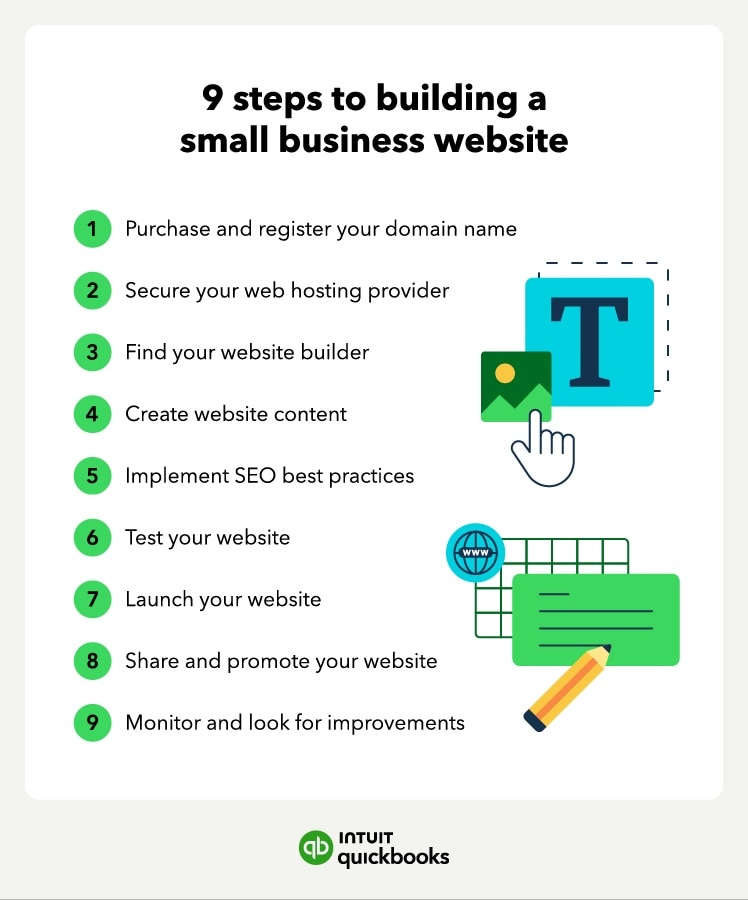
A domain is like your website’s address on the internet. It helps customers find you online. Without it, your business can’t have a website. In this guide, we’ll show you how to buy a domain easily. From choosing the right name to registering it, we’ll cover each step.
By the end, you’ll have a domain that fits your business perfectly. Ready to get started? Let’s dive in and make your business visible online!

Credit: www.domain.com
Choosing The Right Domain Name
Choosing the right domain name is crucial for your business website. It affects your brand’s visibility and credibility. A well-chosen domain name can attract more visitors and help you stand out. Let’s dive into the process of selecting the perfect domain name for your business.
Brainstorming Ideas
Start by brainstorming ideas for your domain name. Think about keywords related to your business. Consider your brand name, products, or services. Make a list of words and phrases that describe your business.
- Keep it short and simple
- Make it easy to spell and pronounce
- Reflect your brand identity
- Avoid numbers and hyphens
Use tools like Google Keyword Planner to find relevant keywords. This will help you come up with more ideas. Remember, a catchy and memorable domain name can make a big difference.
Checking Availability
Once you have a list of potential domain names, check their availability. Use domain registration websites like GoDaddy, Namecheap, or Google Domains. Enter your chosen names to see if they are available.
- Visit a domain registration website
- Enter your domain name in the search bar
- Check if it’s available or taken
If your preferred domain name is taken, try different variations. You can use different extensions like .com, .net, or .biz. Check for alternative spellings or add relevant words to make it unique.
Remember to act fast once you find an available domain name. Good domain names get snapped up quickly.
Understanding Domain Extensions
Choosing a domain extension is essential for your business website. Domain extensions are the letters after the dot in a web address. They can impact your brand’s credibility and visibility.
Common Extensions
There are several common domain extensions to consider. The most popular one is .com. This extension is widely recognized and trusted. Another common extension is .net. It is often used by tech and internet companies. The .org extension is usually for non-profit organizations. Other options include .info for informational sites and .biz for businesses.
Choosing The Best Extension
Picking the best extension depends on your business type. If your business operates globally, .com is a safe choice. For tech companies, .net can be a good fit. Non-profits should opt for .org. If you run a local business, consider country-specific extensions like .us or .uk. These can help attract local customers.
Consider your audience and business goals. This will help you decide on the right extension. Make sure your choice aligns with your brand identity. A fitting domain extension can boost your online presence.
Researching Domain Registrars
Researching domain registrars is a crucial step in buying a domain for your business website. The right registrar can make the process smooth and secure. This section will guide you through the popular registrars and how to compare their prices and features.
Popular Registrars
Some domain registrars are well-known for their reliability and services. GoDaddy is one of the largest and most popular registrars. It offers a wide range of services and competitive pricing. Another popular choice is Namecheap. Known for its affordability and excellent customer support. Google Domains is also a strong contender. It is preferred for its simplicity and integration with other Google services.
Comparing Prices And Features
When choosing a registrar, comparing prices and features is essential. Look at the cost of the domain name itself. Some registrars offer promotional rates for the first year. But be aware of renewal rates, which can be higher. Also, check if the registrar provides free WHOIS privacy protection. This feature hides your personal information from the public.
Another critical feature to consider is customer support. Good support can save you time and stress. Check if the registrar offers 24/7 support and multiple contact methods. Finally, consider additional services like email hosting, website builders, and SSL certificates. These can be convenient and save you money in the long run.
Registering Your Domain
Registering your domain is a crucial step in building your business website. It gives your business a unique identity on the web. Follow these steps to successfully register your domain.
Creating An Account
First, choose a domain registrar. Popular options include GoDaddy, Namecheap, and Bluehost. Visit their website and look for the Sign Up or Create Account button. Click on it to start the process.
Fill in your personal details. This usually includes your name, email address, and phone number. Ensure you use a valid email, as you will receive important notifications here.
Some registrars may ask for additional information. Complete all required fields and set a strong password to secure your account. Once done, click on the Create Account button.
Completing The Purchase
After creating your account, search for your desired domain name. Use the registrar’s search bar to check its availability. If your preferred domain is taken, try different variations or extensions.
Once you find an available domain, add it to your cart. Review your selection and proceed to the checkout page. Here, you may see additional services such as privacy protection and email hosting. Choose the ones you need.
Enter your payment details. Most registrars accept credit cards, PayPal, and other payment methods. Double-check your order summary to ensure everything is correct.
Finally, click on the Complete Purchase button. You will receive a confirmation email with details about your new domain. Now, your domain is officially registered!
Setting Up Domain Privacy
Setting up domain privacy is a crucial step when buying a domain for your business website. It ensures your personal information remains hidden from the public. This protection is essential for maintaining your privacy and security online.
Importance Of Privacy
When you register a domain, your personal details such as name, address, phone number, and email are recorded in the WHOIS database. This information is publicly accessible.
Exposing your details can lead to unwanted spam, identity theft, or even cyber-attacks. Privacy protection helps in shielding your personal information from malicious parties.
Activating Privacy Protection
Most domain registrars offer privacy protection services. Here is a simple guide to activating privacy protection:
- Choose a Registrar: Select a reputable domain registrar that provides privacy protection services.
- Purchase Privacy Protection: During the domain registration process, opt for the privacy protection add-on. This may incur a small annual fee.
- Review and Confirm: Ensure that privacy protection is activated before finalizing your purchase.
Below is a table summarizing the benefits of activating privacy protection:
| Benefit | Description |
|---|---|
| Privacy | Keeps personal information hidden from the public. |
| Security | Reduces the risk of identity theft and cyber-attacks. |
| Spam Reduction | Prevents spammers from accessing your email address. |
By following these steps, you can ensure your business’s online presence remains secure and private. Setting up domain privacy is a small investment that offers significant protection.
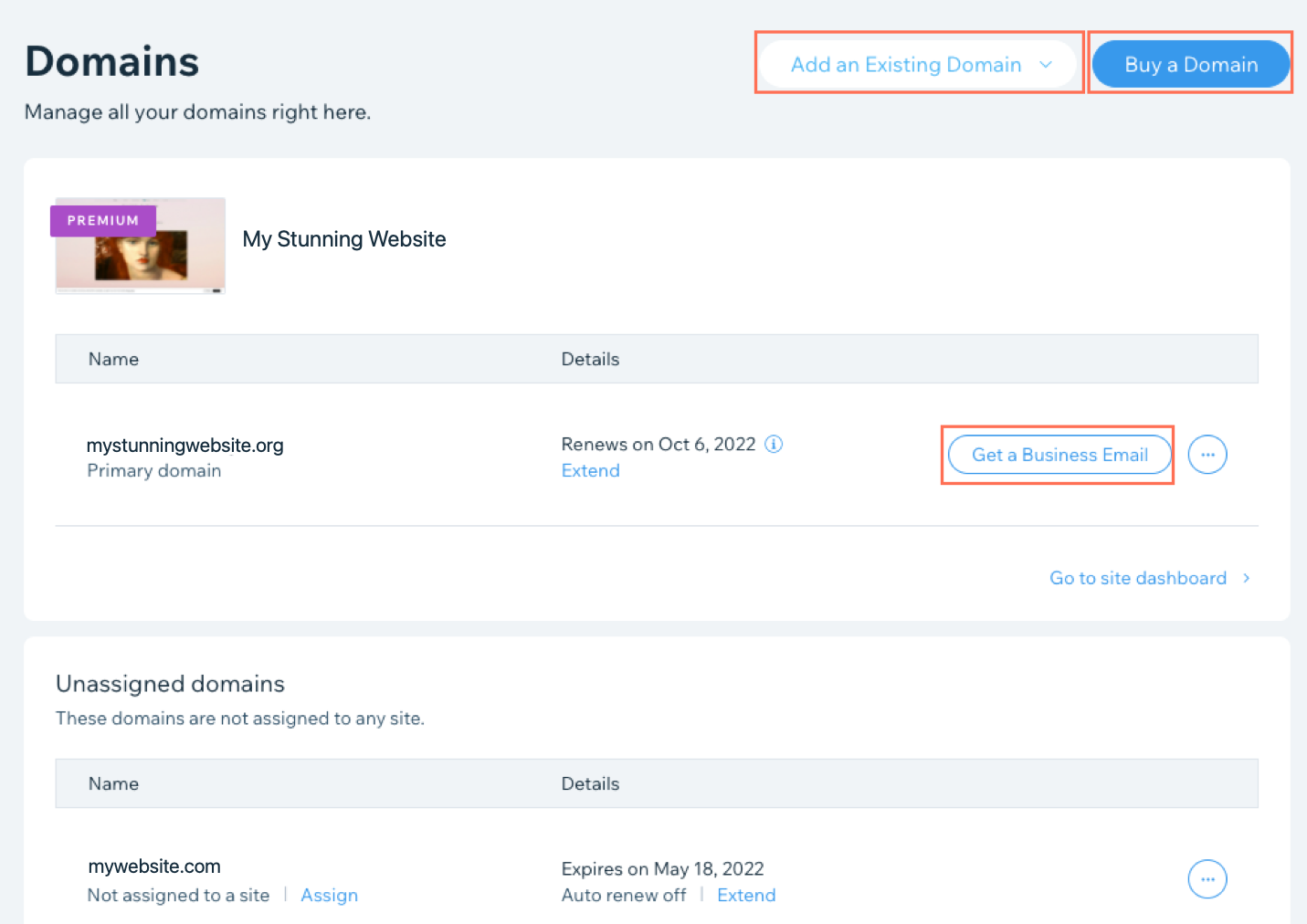
Credit: support.wix.com
Connecting Your Domain To A Website
Connecting your domain to a website is a crucial step. This ensures your domain directs visitors to your business website. It involves choosing a hosting provider and linking your domain to the hosting.
Choosing A Hosting Provider
The first step is to choose a hosting provider. A hosting provider stores your website’s data. They make it accessible on the internet. There are many hosting providers available. Research and select one that fits your needs. Look for reliability, customer support, and pricing. Popular options include Bluehost, SiteGround, and GoDaddy. They offer various plans for different budgets.
Linking Domain To Hosting
Once you have a hosting provider, link your domain to the hosting. This process is straightforward. Log in to your domain registrar’s account. Find the DNS (Domain Name System) settings. Enter the nameservers provided by your hosting provider. This step connects your domain to your website. It may take a few hours to update. Check your hosting provider’s website for detailed instructions. They often have guides and support to help you.
Renewing Your Domain
Once you have bought your domain, you need to renew it. If you don’t, you might lose it. Understanding the renewal process is crucial for maintaining your business website’s online presence.
Understanding Renewal Periods
Domain names are registered for a specific period. This can range from one to ten years. When the registration period ends, you must renew the domain. If you don’t renew on time, you risk losing your domain to someone else.
| Renewal Period | Action Needed |
|---|---|
| 1 Year | Renew Annually |
| 2 Years | Renew Every Two Years |
| 5 Years | Renew Every Five Years |
| 10 Years | Renew Every Ten Years |
To avoid losing your domain, mark your calendar. Set reminders before the renewal date.
Setting Up Auto-renewal
Many domain registrars offer an auto-renewal feature. This feature automatically renews your domain before it expires. It ensures your domain stays active without manual intervention.
To set up auto-renewal:
- Log in to your domain registrar account.
- Go to the domain management section.
- Find your domain and select the auto-renew option.
- Enter your payment details and save the settings.
With auto-renewal, you won’t have to worry about missing renewal dates. Your domain will renew automatically, keeping your business website online.
Remember, keeping your payment details up to date is crucial. If your payment fails, the auto-renewal won’t process.
Credit: quickbooks.intuit.com
Managing Domain Settings
Managing domain settings is crucial for maintaining your business website’s integrity. Properly updating your domain settings ensures smooth operations. It also helps in protecting your brand. Here, we’ll cover two important aspects: updating contact information and transferring domain ownership.
Updating Contact Information
Keeping your contact information up-to-date is essential. It ensures you receive important notifications. These notifications can include renewal reminders and domain expiration alerts.
To update your contact information:
- Log in to your domain registrar account.
- Navigate to the “Account Settings” or “Domain Management” section.
- Locate the contact information fields.
- Update your email, phone number, and mailing address.
- Save the changes to ensure they’re applied.
Regularly check and update this information. This helps prevent any issues with domain management.
Transferring Domain Ownership
Transferring domain ownership might be necessary for various reasons. These can include selling your business or changing your domain registrar.
The steps to transfer domain ownership are as follows:
- Unlock the domain from your current registrar.
- Obtain an authorization code (also known as EPP code).
- Initiate the transfer process at the new registrar.
- Enter the authorization code when prompted.
- Confirm the transfer request via email.
Ensure you have access to the email linked to your domain. This is crucial for confirming the transfer.
Transferring a domain can take a few days. Be patient during this process.
Frequently Asked Questions
How Do I Purchase A Domain Name For My Business?
To purchase a domain name, visit a domain registrar website. Search for your desired domain. Check its availability. If available, add it to your cart. Complete the purchase by following the payment process.
How Do I Permanently Buy A Domain Name?
You cannot permanently buy a domain name. You can register a domain name for a specific period, usually 1-10 years, and renew it as needed.
How Much Does A Business Website Domain Cost?
A business website domain typically costs between $10 and $50 per year. Prices vary based on the domain extension and registrar.
What Is The Best Way To Buy A Website Domain?
The best way to buy a website domain is to use a reputable registrar like GoDaddy or Namecheap. Choose a unique, relevant name. Check availability, then follow the registrar’s purchase process. Ensure renewal settings are configured.
Conclusion
Choosing the right domain is crucial for your business website. It helps build your brand online. Remember to keep it short and easy to remember. Use keywords relevant to your business. Register your domain with a reliable provider. Protect your domain with privacy options.
This ensures your personal details stay safe. Now you know how to buy a domain. Start your online journey today! Your business website awaits.


