
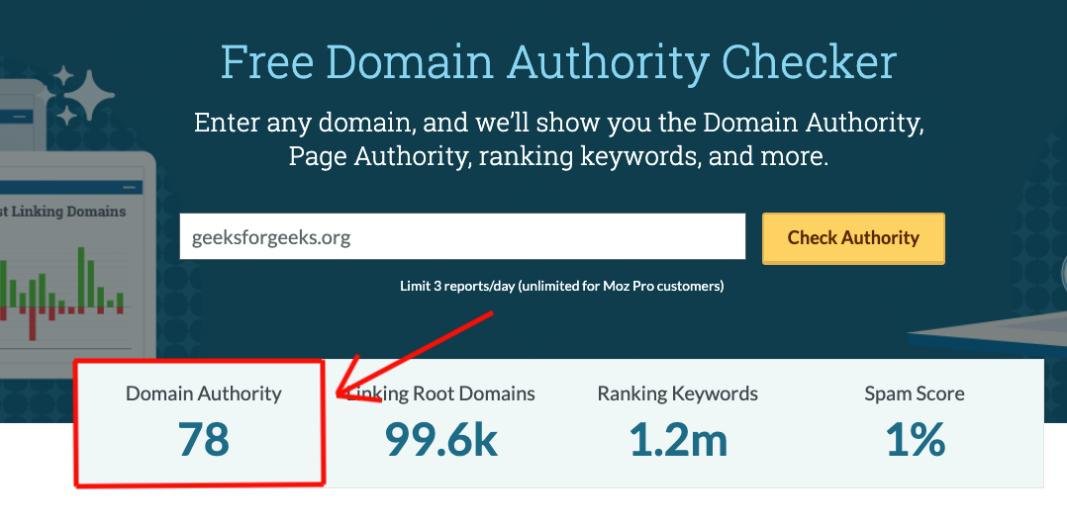
To check Domain Authority (DA), you can use free online tools. These tools provide a score that indicates your website’s authority.
Understanding Domain Authority is crucial for your website’s success. DA helps you gauge how well your site might rank in search engine results. A higher DA means better chances of ranking. In this guide, we will walk you through the steps to check your Domain Authority.
You will learn about the tools available and how to interpret the results. By the end, you will know how to assess and improve your website’s authority. Let’s dive in and boost your site’s performance.
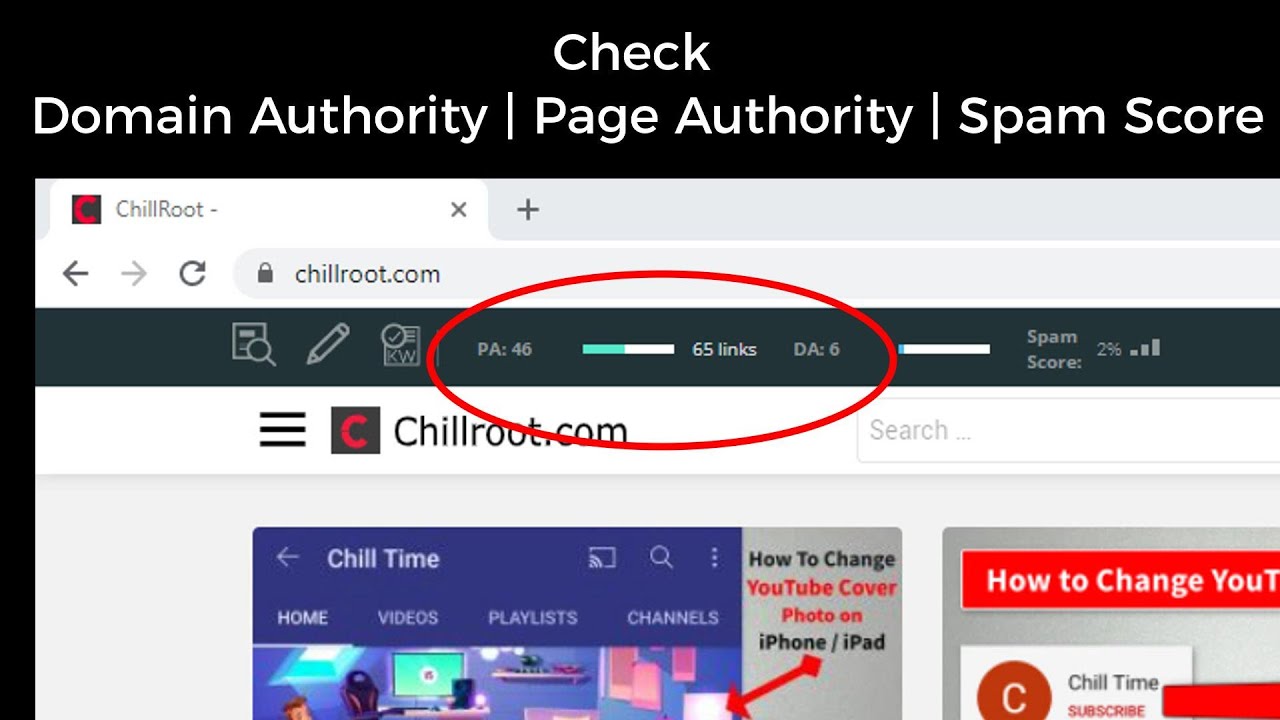
Credit: www.youtube.com
Introduction To Domain Authority
Learn to check Domain Authority and improve your website’s SEO. Use tools like Moz or Ahrefs for quick analysis.
Understanding your website’s performance is crucial. One key metric is Domain Authority (DA). It provides insights into your website’s strength and ranking potential.What Is Domain Authority?
Domain Authority is a score. It ranges from 1 to 100. Higher scores mean a greater ability to rank. Developed by Moz, this metric predicts search engine performance. It helps you compare your website to others.Importance Of Domain Authority
A high DA can boost your website’s visibility. It attracts more organic traffic. It also builds credibility. Search engines trust high-DA websites more. This trust can lead to better rankings. Focusing on DA can improve your SEO efforts. It highlights areas needing improvement. “`Factors Influencing Domain Authority
Understanding the factors that influence Domain Authority is crucial. These factors help you improve your website’s ranking. Let’s break down the key elements.
Backlinks
Backlinks are links from other websites to your site. They play a vital role. The more quality backlinks you have, the better your Domain Authority.
- Quality over quantity: Links from high-authority sites are better.
- Relevance: Links from related niche sites are important.
- Diversity: A varied backlink profile is beneficial.
Content Quality
Content quality impacts your Domain Authority significantly. High-quality content attracts more visitors and backlinks.
- Original Content: Unique and original content ranks higher.
- Engaging Content: Engaging content keeps users on your site longer.
- Regular Updates: Regularly updated content shows search engines your site is active.
Site Structure
A well-structured site is easy to navigate. This improves user experience and search engine crawling.
| Aspect | Importance |
|---|---|
| URL Structure | Clear and descriptive URLs help both users and search engines. |
| Internal Linking | Helps users and search engines find related content. |
| Navigation | Easy-to-use navigation improves user experience. |
Tools To Check Domain Authority
Understanding the authority of your domain is crucial for SEO. It helps in assessing the strength of your website’s backlinks and overall online presence. Several tools can help you check your Domain Authority (DA). Below are some popular ones:
Moz
Moz is a well-known tool for checking Domain Authority. It provides a DA score from 1 to 100, with higher scores indicating greater authority. Here are some of the features:
- Easy-to-use interface
- Comprehensive backlink analysis
- Free and paid options available
Ahrefs
Ahrefs is another powerful tool for checking Domain Authority. It offers a feature called Domain Rating (DR), which is similar to DA. Key features include:
- Detailed backlink profile
- Site audit capabilities
- Paid subscription required
Semrush
SEMrush also provides a Domain Authority checker. It is known for its comprehensive SEO tools. Some of its features are:
- In-depth domain analysis
- Competitor comparison
- Both free and paid plans
Step-by-step Guide To Using Moz
Checking your website’s Domain Authority (DA) is crucial for understanding its potential to rank in search engine results. Moz offers a reliable tool for this purpose. This step-by-step guide will walk you through the process of using Moz to check your website’s Domain Authority.
Creating An Account
Before you can check your Domain Authority, you need to create an account on Moz. Follow these steps:
- Go to the Moz website.
- Click on the “Sign Up” button at the top right corner.
- Fill in your email, username, and password.
- Confirm your email address by clicking the link sent to your inbox.
Once you have created and confirmed your account, you can log in to access Moz’s tools.
Navigating The Dashboard
After logging in, you will be directed to the Moz dashboard. Here’s how to find the Domain Authority tool:
- Look for the “Link Explorer” option in the main menu.
- Click on “Link Explorer” to open the tool.
- Enter your website’s URL in the search bar.
- Press the “Analyze” button.
The tool will take a few moments to gather data and display your results.
Interpreting Results
The results page will show your Domain Authority score along with other useful metrics. Here’s how to interpret them:
| Metric | Description |
|---|---|
| Domain Authority (DA) | A score (1-100) that predicts how well your website will rank. |
| Page Authority (PA) | A score (1-100) that predicts how well a specific page will rank. |
| Linking Root Domains | The number of unique websites linking to your site. |
| Total Inbound Links | The total number of links pointing to your site. |
A higher Domain Authority indicates a greater ability to rank. Regularly monitor these metrics to track your website’s performance and identify areas for improvement.
Step-by-step Guide To Using Ahrefs
Checking Domain Authority is crucial for your website’s SEO strategy. Ahrefs is a powerful tool that can help you with this. Follow this step-by-step guide to use Ahrefs effectively.
Setting Up Ahrefs
First, you need to set up your Ahrefs account. If you do not have one, create it on the Ahrefs website.
- Go to Ahrefs and click on the “Sign Up” button.
- Enter your email and create a password.
- Verify your email and log in to your new account.
- Select a subscription plan that fits your needs.
Running A Domain Check
Once you have set up your account, it is time to run a domain check.
- Log in to your Ahrefs account.
- Go to the “Site Explorer” tab in the main menu.
- Enter your domain name in the search bar and click “Search.”
- Wait for Ahrefs to generate the report.
Understanding The Metrics
Ahrefs provides several metrics that are important for assessing Domain Authority. Here are the key metrics to focus on:
| Metric | Description |
|---|---|
| Domain Rating (DR) | A measure of the strength of your website’s backlink profile. |
| URL Rating (UR) | Evaluates the strength of a specific page’s backlink profile. |
| Backlinks | The number of external links pointing to your site. |
| Referring Domains | The number of unique domains linking to your site. |
| Organic Traffic | Estimates the number of visitors coming from search engines. |
Use these metrics to assess your website’s Domain Authority. The higher your Domain Rating, the better.

Credit: linkdoctor.io
Step-by-step Guide To Using Semrush
Checking Domain Authority (DA) is crucial for understanding your website’s SEO health. SEMrush is a powerful tool that can help you with this task. This step-by-step guide will show you how to use SEMrush to check your Domain Authority.
Getting Started With Semrush
First, visit the SEMrush website. Create an account if you do not have one. Log in to your dashboard. It is user-friendly and easy to navigate.
Next, locate the “Domain Overview” tool. You can find it on the left-hand side. Enter your website’s URL in the search bar. Click the “Search” button. SEMrush will start analyzing your website.
Analyzing Domain Authority
Once the results load, scroll down to the “Authority Score” section. This is where you will find your Domain Authority. The score ranges from 0 to 100. Higher scores indicate stronger domain authority.
SEMrush calculates this score based on various factors. These include backlinks, organic search traffic, and other metrics. Review these details to understand your score better. Pay attention to the “Backlinks” and “Organic Search” sections. They provide valuable insights.
Utilizing Additional Features
SEMrush offers additional features that can help improve your domain authority. Check the “Backlink Analytics” tool. It shows you who links to your website. Identify and reach out to high-quality websites for backlinks.
Use the “Organic Research” tool. It shows your organic search performance. Identify keywords that drive traffic to your site. Optimize your content for these keywords.
Explore the “Site Audit” tool. It helps you find and fix technical issues on your site. A well-optimized site can improve your domain authority.
All these features can help you understand and improve your Domain Authority. Use them regularly for the best results.
Improving Your Domain Authority
Improving your Domain Authority (DA) is essential for better search engine rankings. By focusing on key areas, you can boost your DA effectively. Below, we explore some crucial strategies.
Building High-quality Backlinks
Backlinks from authoritative websites significantly improve your DA. Focus on earning links from reputable sources.
- Create content that others want to link to.
- Engage in guest blogging on high-authority sites.
- Reach out to industry influencers for backlinks.
- Use broken link-building techniques.
Remember, quality matters more than quantity. A few high-quality backlinks are better than many low-quality ones.
Creating Valuable Content
Content is king. It drives traffic and attracts backlinks. Ensure your content is:
- Informative: Provide valuable information to your audience.
- Engaging: Use a conversational tone to connect with readers.
- Original: Avoid duplicate content to maintain credibility.
- Shareable: Encourage social sharing to increase reach.
Regularly update your content to keep it relevant and useful.
Optimizing Site Structure
A well-structured site improves user experience and search engine crawlability. Focus on these areas:
- URL Structure: Keep URLs short and descriptive.
- Internal Linking: Link to relevant pages within your site.
- Mobile Friendliness: Ensure your site is responsive.
- Page Speed: Optimize images and use caching to improve load times.
Use structured data to help search engines understand your content better.
| Factor | Impact on DA |
|---|---|
| High-Quality Backlinks | High |
| Valuable Content | High |
| Site Structure | Moderate |
By focusing on these areas, you can improve your Domain Authority effectively.
Common Mistakes To Avoid
Checking domain authority is crucial for your website’s success. Many people make common mistakes that can hurt their site’s ranking. Avoiding these errors can improve your domain authority.
Overlooking Mobile Optimization
Many users browse the internet on their mobile devices. If your site is not mobile-friendly, you lose potential visitors. Search engines prioritize mobile-optimized sites. Make sure your website looks good and works well on all devices.
Ignoring Page Load Speed
Page load speed is a key factor in user experience. Slow-loading pages frustrate visitors. They may leave your site if it takes too long to load. Search engines rank fast-loading sites higher. Use tools to check and improve your page speed.
Neglecting User Experience
User experience (UX) affects how visitors interact with your site. A confusing or cluttered layout can drive people away. Ensure your site is easy to navigate. Clear menus, readable fonts, and intuitive design keep visitors engaged.
Tracking Progress Over Time
Tracking the progress of your domain authority over time is essential. It helps you understand how your website performs in search engine rankings. By monitoring domain authority, you can make informed decisions to improve your site’s visibility.
Setting Benchmarks
Start by setting benchmarks for your domain authority. Identify your current score using tools like MOZ or Ahrefs. Take note of your score and compare it with competitors in your niche. This will give you a clear starting point and help you set realistic goals.
| Competitor | Domain Authority |
|---|---|
| Competitor A | 45 |
| Competitor B | 50 |
| Competitor C | 55 |
Regular Monitoring
Regularly monitor your domain authority. Set a schedule to check your score monthly or quarterly. Use the same tools you used for setting benchmarks. This helps you track changes and identify trends. Look for patterns in the data to understand what’s working and what’s not.
- Check monthly
- Use consistent tools
- Identify trends
Adjusting Strategies
Adjust your strategies based on your findings. If your domain authority is not improving, analyze your website’s backlinks, content quality, and technical SEO. Make necessary changes and test new approaches.
- Analyze backlinks
- Improve content quality
- Optimize technical SEO
Regular adjustments are necessary to keep improving. Stay proactive and adapt to changes in the SEO landscape. This way, you can steadily enhance your domain authority over time.

Credit: odys.global
Conclusion And Next Steps
Checking domain authority (DA) is essential for your website’s SEO strategy. Understanding your DA helps you track your online presence and performance. As we reach the conclusion of this topic, let’s summarize the key points and discuss the next steps.
Summary Of Key Points
- Domain Authority (DA) is a metric developed by Moz to predict how well a website will rank on search engines.
- DA scores range from 1 to 100. Higher scores mean better chances of ranking.
- Several factors affect DA, including linking root domains and the number of total links.
- Tools like Moz, Ahrefs, and SEMrush can help you check your DA score.
- Improving your DA involves creating high-quality content and earning backlinks from reputable sites.
Future Actions
Now that you understand how to check your domain authority, consider these future actions:
- Regular Monitoring: Use tools like Moz to regularly check your DA. This helps you track progress and identify areas for improvement.
- Content Creation: Focus on creating valuable and engaging content. Quality content attracts backlinks and improves your DA.
- Link Building: Develop a strategy to earn backlinks from high-authority websites. Guest posting and collaborations can help.
- Analyze Competitors: Check the DA of your competitors. Learn from their strategies and implement similar tactics.
- Technical SEO: Ensure your website is technically sound. Optimize page speed, fix broken links, and improve mobile-friendliness.
By following these steps, you can steadily improve your domain authority. Remember, patience and consistency are key.
Frequently Asked Questions
How To Find The Dr Of A Website?
Use tools like Ahrefs or Moz to find a website’s Domain Rating (DR). Enter the website URL and check the metrics.
How Do I Know If A Website Has Authority?
Check the website’s domain authority using tools like Moz, Ahrefs, or SEMrush. Look for quality backlinks and consistent, relevant content. Evaluate the website’s design, user experience, and social media presence.
What Is Our Domain Authority?
Our domain authority is 45, reflecting our site’s credibility and ranking potential on search engines. This score helps in SEO strategies.
How To Check The Domain Rating?
Use tools like Ahrefs, Moz, or SEMrush. Enter your domain URL to see its rating.
Conclusion
Checking your domain authority is crucial for online success. It helps you understand your website’s strength and influence. Use reliable tools to monitor and improve your score. Regularly assessing your domain authority can guide your SEO efforts. Stay consistent with quality content and backlinks.
This way, you will see steady growth. Remember, patience and persistence are key. Keep refining your strategies. Your website will benefit in the long run.


