
Creating a multilingual website with WordPress plugins is easy. You can reach a global audience.
In our interconnected world, having a multilingual website is crucial. It opens doors to new markets and makes your content accessible to more people. WordPress, with its powerful plugins, offers simple solutions to build such sites. These plugins can translate your content, making your website user-friendly for speakers of various languages.
This guide will explain how to use these plugins effectively. You will learn the benefits of multilingual websites and how to choose the right plugins. We will walk you through each step to make the process clear. Ready to expand your reach? Let’s get started!
Credit: translatepress.com
Choosing The Right Plugin
Creating a multilingual website with WordPress plugins is a smart move. It helps you reach a wider audience. But, choosing the right plugin is crucial. The right plugin makes the process smooth and efficient. This section will guide you on selecting the best plugin for your needs.
Popular Multilingual Plugins
There are many WordPress plugins for multilingual sites. Here are a few popular ones:
- WPML: A comprehensive plugin that supports over 40 languages.
- Polylang: User-friendly and integrates well with popular themes.
- TranslatePress: Allows you to translate directly from the front-end.
- Weglot: Offers automatic translation and easy setup.
Factors To Consider
Before choosing a plugin, consider these factors:
| Factor | Details |
|---|---|
| Ease of Use | Look for a plugin that is easy to install and use. A user-friendly interface saves time. |
| Language Support | Ensure the plugin supports the languages you need. Check for additional languages if required. |
| Compatibility | The plugin should be compatible with your theme and other plugins. This avoids conflicts and errors. |
| SEO Features | A good plugin should improve your SEO. It should allow you to optimize translations for search engines. |
| Support and Updates | Choose a plugin with good support and regular updates. This ensures smooth operation and security. |
Installing The Plugin
Creating a multilingual website in WordPress can be simple. Installing the right plugin is key. Let’s explore how to install a WordPress plugin for a multilingual site. This step will enable you to reach a wider audience.
Step-by-step Installation
First, log in to your WordPress dashboard. Look for the “Plugins” menu on the left sidebar. Click on “Add New”. In the search bar, type the name of the multilingual plugin you want to install. Popular choices are WPML or Polylang.
Once you find your plugin, click “Install Now”. Wait for the installation to complete. Then, click “Activate”. You will see the plugin appear in your list of installed plugins.
Next, follow the setup instructions provided by the plugin. Each plugin has its own setup process. Some may ask for API keys or other details. Complete these steps to ensure your plugin works correctly.
Common Installation Issues
Sometimes, plugins do not install smoothly. One common issue is a plugin not activating. This could be due to conflicts with other plugins. Try deactivating other plugins and then activate your multilingual plugin.
Another issue is a missing API key. Some plugins need an API key for full functionality. Ensure you have the correct key and enter it during setup. Check the plugin’s documentation for detailed instructions.
Slow website speed can also be a problem. Multilingual plugins can sometimes slow down your site. Check your hosting plan and upgrade if needed. A good hosting plan can handle the extra load.
If you face any problems, check the plugin’s support forum. Other users may have had the same issues. Solutions are often shared there. If all else fails, contact the plugin’s support team for help.
Configuring The Plugin
Once you have installed your multilingual plugin, the next step is configuring it. This ensures your website supports multiple languages effectively. Let’s break down the configuration process into manageable steps.
Initial Setup
Begin by accessing the plugin settings from your WordPress dashboard. Usually, you will find the plugin under the “Settings” or “Tools” menu. Click on the plugin name to open its configuration panel.
Follow the prompts to complete the initial setup. This often involves selecting your default language and configuring basic options.
Language Settings
After the initial setup, it is essential to configure the language settings. Here’s a step-by-step guide:
- Select Your Languages: Go to the language settings tab. Choose the languages you want to support on your website. Most plugins offer a wide range of languages.
- Set Default Language: Select the default language for your site. This is the language that will be displayed by default to visitors.
- Arrange Languages: You can often arrange the order of the languages. This order determines how languages appear in language switchers or menus.
Here is an example of how you might see the settings:
| Language | Code | Default |
|---|---|---|
| English | en | ✔ |
| Spanish | es | |
| French | fr |
Ensure you save your settings after configuring the languages. This is crucial for the changes to take effect.
Configuring the plugin correctly is vital. It ensures your content is accessible in multiple languages, enhancing user experience and expanding your reach.
Translating Website Content
Translating website content is crucial for reaching a global audience. Making your site multilingual can enhance user experience and expand your reach. WordPress plugins make this task easier. You can use both manual and automatic translation methods. Each has its own benefits.
Manual Translation
Manual translation involves translating your content by hand. This method ensures high accuracy. You can hire professional translators or use your own language skills. This option is best for websites with specific terminology. It also allows for cultural nuances to be taken into account. Manual translation guarantees quality and precision.
Automatic Translation
Automatic translation uses software to translate your content. Plugins like Google Translate and WPML offer automatic translation features. This method is fast and cost-effective. It is ideal for large websites with lots of content. Automatic translation can help you reach a wider audience quickly. But, it may lack the accuracy of manual translation. Always review and edit the output for better quality.
Managing Translations
Managing translations is crucial for multilingual websites. It ensures consistency and accuracy. Effective management involves organizing, editing, and updating translations. This section will guide you through the process.
Translation Workflow
Start by creating a clear workflow. Assign roles to team members. One person can handle content creation. Another can manage translations. Use a project management tool to track progress. Set deadlines to keep the project on schedule.
Choose a WordPress plugin that fits your needs. WPML and Polylang are popular options. These plugins streamline the translation process. They offer features like translation management and language switching.
Editing And Updating Translations
Regularly review and edit translations. Ensure they match the original content. Use native speakers for accuracy. They understand cultural nuances.
Keep your content up-to-date. Update translations whenever you update the original content. This ensures consistency across all languages. Use a plugin that supports automatic translation updates. It saves time and effort.
Monitor user feedback. It helps identify translation issues. Address them promptly. This improves the user experience for all visitors.
Optimizing For Seo
Creating multilingual websites with WordPress plugins enhances your global reach. These plugins simplify content translation, improving user experience and SEO. Effortlessly manage multiple languages on your site for a wider audience.
Creating a multilingual website with WordPress plugins is just the first step. Optimizing your site for SEO ensures that search engines can find and rank your content. This is crucial for reaching a global audience. Each language version of your site needs to be optimized. This helps in getting better visibility and higher traffic.Seo Best Practices
Start with proper keyword research. Find out what terms people use in different languages. Use these keywords in your content, titles, and meta descriptions. Make sure your URLs are clean and readable. Use hyphens to separate words. Avoid special characters. Next, use hreflang tags. These tell search engines the language and region for each page. This helps in serving the right version to the right audience. Ensure your site speed is optimal. A fast-loading site improves user experience and SEO. Use a content delivery network (CDN) to serve your site faster to users worldwide. Finally, ensure your site is mobile-friendly. More people use mobile devices to browse the web. Google also prioritizes mobile-friendly sites in search results.Using Multilingual Seo Tools
Multilingual SEO tools can make your job easier. These tools help you manage and optimize content in multiple languages. Yoast SEO and Rank Math are popular choices. They offer features to help with multilingual SEO. Yoast SEO has a special plugin for multilingual sites. It integrates well with WPML and Polylang. This plugin helps in setting up hreflang tags. It also helps in managing your site’s SEO settings. Rank Math also supports multilingual sites. It offers features like rich snippets, XML sitemaps, and more. These features help in improving your site’s SEO. Using these tools, you can analyze your site’s performance. They offer insights into how well your content is performing. This helps you make data-driven decisions. Remember to update your content regularly. Fresh content keeps users engaged and improves SEO. Use these tools to keep track of your updates and performance. “`Testing Your Multilingual Site
Creating a multilingual website with WordPress plugins is just the beginning. Testing your multilingual site is crucial to ensure every detail is accurate. This ensures an excellent user experience for all visitors.
Ensuring Accuracy
Accuracy is vital for a multilingual website. It builds trust with your audience. Start by reviewing translations for every page. Ensure each translated piece is precise and makes sense in the target language.
Consider using native speakers to review the translations. They can catch errors that automated tools might miss. Double-checking content helps in avoiding misunderstandings. This step is important for maintaining your brand’s reputation.
Use the following checklist for accuracy testing:
- Review each page manually.
- Check for context relevance.
- Ensure cultural appropriateness.
- Verify all media elements (images, videos) support the translated content.
User Experience Testing
User experience is just as important as accuracy. Test your site to ensure it is user-friendly in all languages.
Here are the steps for user experience testing:
- Navigate the site in each language.
- Check for layout consistency.
- Ensure navigation menus are clear and working.
- Test forms and interactive elements.
- Check the responsiveness on various devices.
Conduct user testing with people who speak the target languages. They can provide valuable feedback on the site’s usability. This helps you identify areas for improvement.
Remember to focus on the following:
- Ease of navigation
- Loading speed
- Content alignment
- Functionality of interactive elements
Testing your multilingual site ensures that your global audience has a seamless experience.
Credit: www.hostinger.com
Launching And Promoting
Launching and promoting your multilingual website is an essential step. Ensuring your site reaches your global audience is key. A successful launch can boost your site’s visibility and engagement. Here, we’ll break down a final checklist and marketing strategies to help you achieve this.
Final Checklist
Before launching, go through this final checklist:
- Test all language versions of your site.
- Check for any broken links or missing content.
- Ensure translation plugins are working correctly.
- Verify SEO settings for each language.
- Review user experience and navigation in all languages.
- Backup your site before going live.
Completing this checklist ensures your site is ready for a smooth launch.
Marketing Strategies
Promote your multilingual site effectively with these strategies:
- Use social media platforms in different languages.
- Engage with local influencers to reach a broader audience.
- Optimize your site for search engines in each language.
- Create language-specific content to cater to local interests.
- Utilize email marketing to inform your audience about the new languages.
These strategies help you connect with your diverse audience and increase site traffic.
Maintaining Your Multilingual Site
Maintaining your multilingual site is crucial for a smooth user experience. Regular updates and handling new content efficiently keep your site relevant and engaging. Here are some key aspects to consider.
Regular Updates
Keep your WordPress plugins up to date. This ensures compatibility with the latest WordPress version. Updated plugins also improve security and performance.
Check for plugin updates weekly. This prevents potential bugs and vulnerabilities. Always backup your site before updating plugins. This safeguards your data in case something goes wrong.
Regularly update your translated content. Language evolves, and so should your translations. Keep them accurate and culturally relevant.
Handling New Content
Translate new posts and pages promptly. This keeps all language versions of your site consistent. Use a reliable translation plugin for accuracy.
Set up notifications for new content. This helps your translation team stay on top of updates. Assign roles to team members for efficient content management.
Review and approve translations before publishing. This ensures quality and consistency across languages. Periodically check for translation errors and correct them.
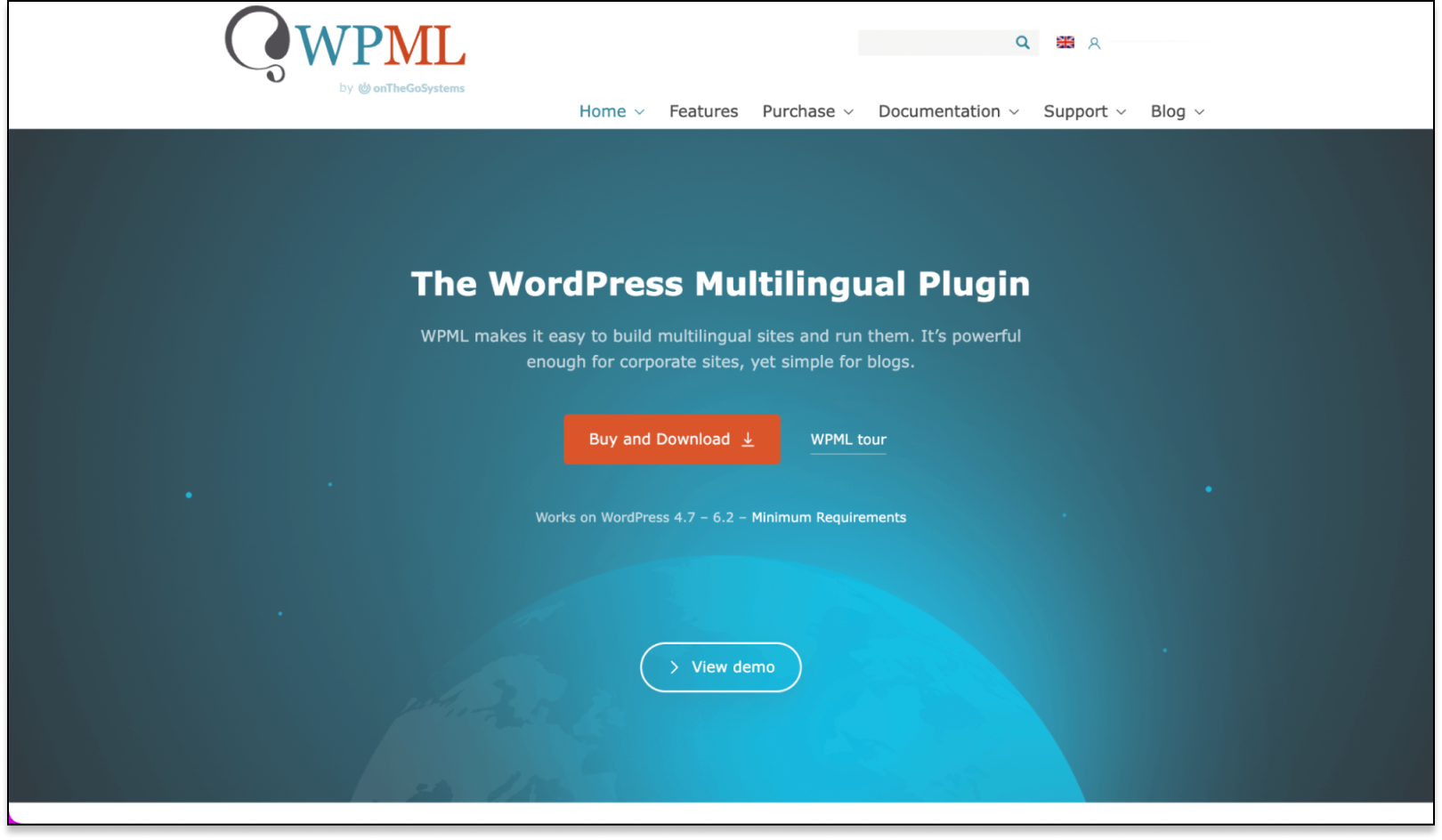
Credit: www.advancedcustomfields.com
Frequently Asked Questions
How To Make A Multilingual Site With WordPress?
To create a multilingual WordPress site, use the Polylang or WPML plugin. Install, activate, and configure the plugin. Add translations for your content.
How Do I Use Multi Language Plugins In WordPress?
Install and activate a multilingual plugin like WPML or Polylang. Configure languages and translate your content.
Do Multilingual Sites Are Allowed In WordPress?
Yes, WordPress allows multilingual sites. Use plugins like WPML or Polylang to manage multiple languages easily.
Which Is The Best Multilingual Plugin For WordPress?
The best multilingual plugin for WordPress is WPML. It offers extensive language support and user-friendly features.
Conclusion
Creating a multilingual website with WordPress plugins is simple and effective. These plugins help you reach a wider audience. They make your site accessible to non-English speakers. Choose the right plugin for your needs. Follow the setup instructions carefully. Regularly update your content in multiple languages.
This ensures your audience stays engaged. With the right tools, managing a multilingual site becomes hassle-free. Expand your reach today with WordPress plugins. Happy website building!


