
Integrating email marketing with WordPress plugins is simple and effective. It enhances your website’s reach and engagement.
Email marketing is crucial for growing your business. WordPress plugins make this task easier. They help you connect with your audience directly. By integrating email marketing with these plugins, you can automate tasks and save time. This setup can boost your marketing efforts and ensure consistent communication with your subscribers.
In this guide, we will explore the steps to integrate email marketing with WordPress plugins. You will learn how to set up and optimize this integration for the best results. Let’s dive in and simplify your email marketing process with WordPress plugins.
Credit: wordpress.org
Choosing The Right Email Marketing Plugin
Integrating email marketing with WordPress can be a game-changer for your website. The key is to choose the right email marketing plugin. This decision will impact your site’s efficiency and user experience. Let’s explore how to make this choice.
Popular Plugins
There are many email marketing plugins available for WordPress. Here are some popular ones:
- Mailchimp for WordPress: Easy to use and integrates well with Mailchimp.
- Constant Contact: Great for beginners with its user-friendly interface.
- Sendinblue: Offers email marketing and SMS campaigns.
- MailPoet: Allows you to create and send emails directly from WordPress.
- AWeber: Known for its robust autoresponder capabilities.
Factors To Consider
When choosing an email marketing plugin, consider these factors:
| Factor | Details |
|---|---|
| Ease of Use | Is the plugin user-friendly for beginners? |
| Integration | Does it integrate with your existing email marketing service? |
| Features | Does it offer features like automation, analytics, and segmentation? |
| Pricing | Is the plugin within your budget? Are there any hidden costs? |
| Support | Does the plugin offer reliable customer support? |
Choosing the right plugin involves weighing these factors based on your needs. Prioritize what’s most important for your business.
Setting Up Your Email Marketing Plugin
Integrating email marketing with WordPress can boost your website’s engagement. The first step is setting up your email marketing plugin. This guide will walk you through the process.
Installation Guide
First, log in to your WordPress dashboard. Navigate to the Plugins section and click on “Add New.” In the search bar, type the name of your email marketing plugin. Once you find it, click “Install Now.”
After the installation, click “Activate.” Your plugin is now ready for use. You will see a new menu item for your email marketing plugin in the WordPress dashboard.
Initial Configuration
Click on the new menu item to start configuring your plugin. You will need to enter your email marketing service’s API key. This connects WordPress to your email marketing account.
Follow the on-screen instructions to complete the setup. You may need to set up your email lists and configure forms. The plugin will guide you through each step.
Test your setup to ensure everything works. Send a test email to yourself. Check the form submissions to see if they appear in your email list.
Creating Effective Email Campaigns
Integrating email marketing with WordPress plugins can boost your website’s engagement. But how do you create effective email campaigns? Let’s break it down into manageable steps. Focus on crafting compelling content and smart segmentation strategies to enhance your email marketing efforts.
Crafting Compelling Content
Content is the heart of your email campaign. Write clear, concise, and engaging messages. Use short sentences and simple language. Speak directly to your audience.
Here are some tips:
- Use attention-grabbing headlines.
- Keep your messages short and to the point.
- Include a clear call to action (CTA).
- Use personalization whenever possible.
For example, instead of writing “Check out our new blog post,” try “Hi [Name], don’t miss our latest blog post just for you!”. This makes the message more personal and engaging.
Segmentation Strategies
Segmentation allows you to send targeted messages to specific groups of subscribers. This increases relevance and engagement. Here are some ways to segment your email list:
| Segmentation Type | Description |
|---|---|
| Demographic | Based on age, gender, location, etc. |
| Behavioral | Based on past interactions with your website. |
| Engagement | Based on how often subscribers interact with your emails. |
By segmenting your audience, you can send more relevant and personalized emails. This leads to higher open rates and click-through rates.
For example, you can send a special discount to subscribers who have not opened your emails in a while. Or, you can send product recommendations based on past purchases. This makes your emails more valuable to the recipient.
Integrating With WordPress Forms
Integrating email marketing with WordPress forms can boost your campaigns. This integration helps you gather emails directly from your website. By using WordPress plugins, you can streamline this process. Let’s explore how to connect contact forms and automate subscriber lists.
Connecting Contact Forms
Connecting contact forms is a crucial step. Start by choosing a reliable plugin like WPForms or Contact Form 7. These plugins are user-friendly and efficient. After installing the plugin, create a new form. Include fields for name and email. Customize the form to match your brand.
Next, integrate your email marketing service. Most plugins support popular services like Mailchimp and Constant Contact. Find the integration settings within the plugin. Enter your API key from your email marketing service. This connection will allow you to send form entries directly to your email list.
Automating Subscriber Lists
Automating subscriber lists can save you time and effort. With the right plugin, you can automatically add new contacts to your email list. Look for plugins with automation features. After connecting your email service, set up automation rules.
For example, you can tag users based on their form responses. This helps segment your audience for targeted campaigns. Automations can also send welcome emails to new subscribers. This immediate engagement can improve your open rates.
Ensure your forms are GDPR compliant. Add consent checkboxes to your forms. This keeps you in line with data protection laws.
Tracking And Analyzing Performance
Tracking and analyzing performance is crucial for successful email marketing. Understanding how your campaigns perform helps you refine your strategies. With WordPress plugins, you can easily track and analyze email marketing performance.
Using Analytics Tools
Many WordPress plugins offer built-in analytics tools. These tools track open rates, click-through rates, and conversions. You can see which emails perform best. This helps you know what your audience likes.
Popular plugins like Mailchimp and Sendinblue provide detailed reports. These reports show user interactions with your emails. They also track user behavior on your website. This helps you understand the complete user journey.
Interpreting Data Insights
Interpreting data is key to improving your email campaigns. Look at open rates to see if your subject lines work. High open rates mean your audience finds them interesting.
Click-through rates tell you if your email content engages users. Higher rates suggest your content is relevant and compelling. Low rates indicate you need to improve your email content.
Conversions measure the success of your emails. Track the actions users take after clicking links. These actions could be purchases, sign-ups, or downloads.
Use this data to make informed decisions. Adjust your content, subject lines, and sending times based on the insights you gather. This will help you create more effective email campaigns.

Credit: wpengine.com
Optimizing For Deliverability
Optimizing for deliverability is crucial for your email marketing success. Ensuring your emails reach the inbox and not the spam folder is key. Integrating email marketing with WordPress plugins can help you achieve this. Let’s explore some strategies to optimize for deliverability.
Avoiding Spam Filters
Spam filters can prevent your emails from reaching the inbox. To avoid this, use a reputable email service provider. They often have built-in tools to help you stay compliant. Avoid using spam-triggering words like “free,” “buy now,” or “limited time.” These can raise red flags. Personalize your emails with the recipient’s name. This reduces the chance of being marked as spam.
Keep your email list clean. Remove inactive subscribers regularly. This improves your sender reputation. Always include an easy way to unsubscribe. This keeps your emails compliant with spam laws.
Ensuring Mobile Responsiveness
Many people read emails on their mobile devices. Your emails must look good on small screens. Use a responsive email design. This means your email adjusts to the screen size. Most WordPress plugins offer responsive templates. Use these to ensure mobile-friendliness.
Keep your email layout simple. Use large fonts and buttons. Small text and buttons are hard to read and click on mobile devices. Test your emails on different devices before sending. This ensures they look good on all screens.
A/b Testing Your Emails
A/B testing your emails is a powerful way to improve your email marketing. It helps you understand what works best for your audience. With the right WordPress plugins, you can set up and analyze your tests easily.
Setting Up Tests
First, choose a WordPress plugin that supports A/B testing. Many popular email marketing plugins offer this feature. Once installed, create two versions of your email. Change only one element, like the subject line or call-to-action. This makes it easier to see what difference that change makes.
Next, decide on your sample size. Split your email list into two groups. One group gets version A, and the other gets version B. Make sure each group is similar in size and characteristics.
Analyzing Results
After sending your emails, wait for some time to gather data. Look at open rates, click-through rates, and conversions. These metrics show how each version performed.
Use your plugin’s analytics tools to compare the results. The version with better performance is your winner. Apply the winning element to future emails to improve overall results.
Regular A/B testing helps you keep improving. It ensures your emails stay effective and engaging for your audience.
Maintaining Compliance
Integrating email marketing with WordPress plugins is a smart move. But it’s crucial to maintain compliance. This ensures your email campaigns are legal and respected. It builds trust with your audience and protects your brand.
Understanding Gdpr
The General Data Protection Regulation (GDPR) is a significant law. It affects how you collect and process personal data. To comply with GDPR, you must ensure users give clear consent. This means they understand what they are signing up for.
Here are some key points to follow:
- Obtain explicit consent from users before adding them to your email list.
- Provide clear information about how their data will be used.
- Allow users to withdraw consent easily at any time.
- Keep records of all consents received.
Using a WordPress plugin that supports GDPR compliance makes this easier. Look for features like consent checkboxes and privacy policy links.
Implementing Double Opt-in
Double opt-in is a method to ensure subscribers really want to join your list. After signing up, users receive a confirmation email. They must click a link to confirm their subscription.
Benefits of double opt-in:
- Reduces spam by verifying email addresses.
- Improves engagement as only interested users subscribe.
- Enhances compliance with email marketing laws.
Many WordPress plugins offer double opt-in features. Activate this setting in your plugin’s options. This step helps maintain a healthy and active email list.
| Compliance Tip | Action |
|---|---|
| GDPR Consent | Use checkboxes and clear messages. |
| Double Opt-In | Enable confirmation emails. |
| Data Security | Use secure WordPress plugins. |
Maintaining compliance is crucial for successful email marketing. Follow these steps to protect your users and your brand.
Leveraging Advanced Features
Leveraging advanced features in email marketing can significantly boost your campaign’s success. WordPress plugins offer a multitude of options to enhance your email marketing efforts. These advanced features help you personalize your emails and automate your workflows. Let’s explore some key techniques.
Personalization Techniques
Personalization can make your emails more engaging. WordPress plugins allow you to tailor content to your audience. Use data like names, locations, and past purchases. This makes your emails feel more personal and relevant. You can also segment your audience based on interests or behavior. Segmented lists lead to higher open rates and conversions.
Automation Workflows
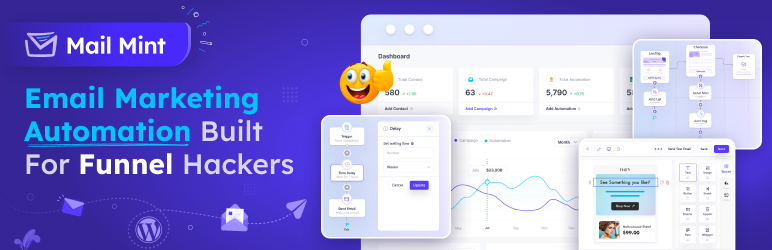
Automation saves you time and ensures consistency. With WordPress plugins, you can set up automated workflows. These workflows can send welcome emails to new subscribers. They can also send follow-up emails based on user actions. For example, if a user abandons their cart, an automated email can remind them to complete their purchase. Automation helps you stay connected with your audience without constant manual effort.

Credit: paymattic.com
Frequently Asked Questions
Can WordPress Do Email Marketing?
Yes, WordPress can do email marketing. Use plugins like MailPoet or integrate with services like Mailchimp.
How Do I Integrate Email Into WordPress?
Integrate email into WordPress by using a plugin like WP Mail SMTP. Configure settings with your email service provider. Validate and test email functionality.
How To Integrate Crm With WordPress?
Integrate CRM with WordPress using plugins like WP ERP or HubSpot. Install, activate, and configure the plugin. Connect your CRM account, sync data, and customize settings as needed.
What Is The Best Email Plugin For WordPress?
The best email plugin for WordPress is MailPoet. It offers seamless integration, user-friendly features, and excellent support for email marketing.
Conclusion
Integrating email marketing with WordPress plugins can boost your online presence. It’s simple and effective for reaching your audience. Use plugins to automate and streamline your email campaigns. This saves time and improves communication. Remember to choose plugins that match your needs and goals.
Test different plugins to find what works best for you. Keep your content engaging and relevant. By doing so, you can build strong relationships with your subscribers. Happy emailing!


