
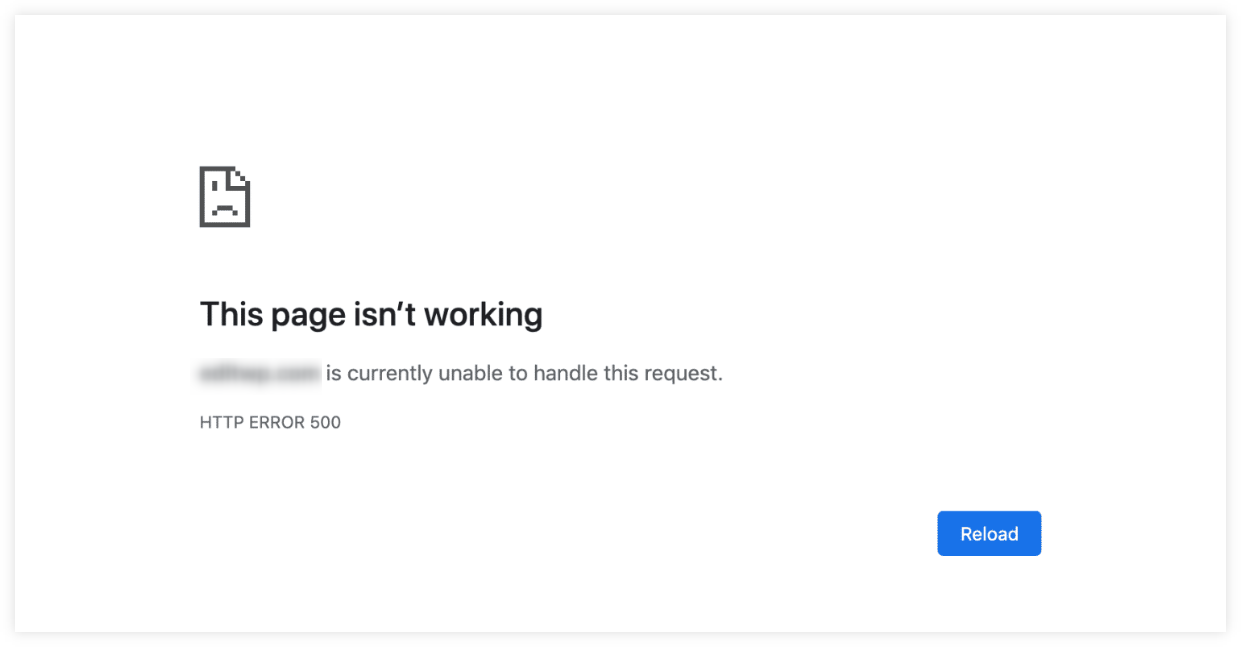
Website downtime occurs when your site is inaccessible to users. It can last for minutes or hours.
Understanding website downtime is crucial for any website owner. It affects user experience and can harm your business. Website downtime can be caused by various issues. These include server problems, maintenance, or cyber-attacks. Knowing what downtime is and its causes helps you prepare better.
It ensures your site remains reliable. In this blog, we will explore what website downtime means. We’ll also discuss its common causes and how to handle it. Stay with us to learn how to keep your site running smoothly.
Credit: mangools.com
Introduction To Website Downtime
Website downtime refers to the period when a website is unavailable or not working. This can be due to technical issues, server problems, or maintenance. During downtime, users cannot access the site, leading to potential loss of visitors and revenue.
Website downtime is a term every website owner dreads. It refers to the time when a website becomes unavailable or non-functional. Downtime can affect user experience and business operations. Understanding what causes downtime and how to prevent it is crucial.Definition Of Downtime
Website downtime occurs when a website is not accessible. This can happen for various reasons. These reasons include server issues, maintenance, or cyber-attacks. During downtime, users cannot access your site. This leads to lost traffic and potential revenue.Importance Of Website Uptime
Website uptime is the opposite of downtime. It refers to the time your website is available and functioning well. High uptime means your site is accessible to users most of the time. Ensuring high uptime is essential for user satisfaction and business success. Regular monitoring and maintenance can help achieve this goal. “`Common Causes Of Downtime
Website downtime can affect your online presence. Understanding its causes can help in preventing it. Here are some common causes:
Server Failures
Server failures can lead to website downtime. This happens due to several reasons, such as:
- Hardware issues: Broken hard drives or faulty memory.
- Power outages: Loss of electricity affects server performance.
- Overheating: Servers need proper cooling to function well.
Monitoring hardware health and ensuring backup power supplies can mitigate these risks.
Software Bugs
Software bugs can be another major cause of downtime. These issues can arise from:
- Updates: New updates may have untested or faulty code.
- Compatibility: Conflicts between different software components.
- Security issues: Vulnerabilities that need immediate fixing.
Regular testing and patch management can help in reducing downtime due to software bugs.
Impact Of Downtime
Website downtime can have severe consequences for businesses. This section explores how downtime affects financial health and reputation. Let’s dive deeper into these impacts.
Financial Losses
Downtime directly impacts revenue. An e-commerce site losing uptime can miss out on sales. Customers might abandon their carts, leading to lost transactions. For large businesses, even a few minutes of downtime can cost thousands of dollars.
Here’s a quick look at potential losses:
| Duration of Downtime | Potential Loss |
|---|---|
| 1 minute | $5,000 |
| 1 hour | $300,000 |
| 1 day | $7,200,000 |
Lost productivity is another factor. Employees might be unable to perform their tasks, leading to delays. This can cause a ripple effect, affecting other areas of the business.
Damage To Reputation
Reputation is critical. Frequent downtime can harm a company’s image. Customers expect reliable service. If your site is often down, they might lose trust.
Negative reviews can spread quickly. Dissatisfied customers can post negative reviews on social media. This can deter potential customers. Here are some potential impacts:
- Loss of customer trust
- Decreased brand loyalty
- Negative word-of-mouth
Downtime can also impact SEO rankings. Search engines might rank a frequently down site lower. This can reduce organic traffic, further affecting revenue.
Maintaining uptime is crucial. It protects both your financial health and reputation. Ensure you have reliable hosting and support to minimize downtime.
Monitoring Website Uptime
Monitoring website uptime is crucial for any website owner. It ensures that your site remains accessible to users. Downtime can lead to loss of visitors and revenue. Regular monitoring helps identify issues early. This allows for quick fixes and minimal impact. Let’s explore some key aspects of monitoring website uptime.
Uptime Monitoring Tools
Various tools are available to monitor website uptime. These tools check your website at regular intervals. They send alerts if your site is down. This helps you take immediate action. Popular tools include UptimeRobot, Pingdom, and Site24x7. Each offers unique features to suit different needs. Choose a tool that best fits your requirements.
Real-time Alerts
Real-time alerts are vital for uptime monitoring. They notify you instantly of any downtime. This allows for quick troubleshooting. Alerts can be sent via email, SMS, or app notifications. Some tools also offer integration with other platforms. This ensures you never miss an alert. Quick response can minimize downtime impact.
Strategies To Prevent Downtime
Website downtime can hurt your business. It can lead to lost revenue and a poor user experience. Preventing downtime is crucial for keeping your website running smoothly. Here are some strategies to help you keep your site up and running.
Regular Maintenance
Regular maintenance is essential for a healthy website. It involves checking for updates, fixing bugs, and ensuring everything works properly. You should schedule maintenance during off-peak hours to avoid disrupting your users.
- Update software and plugins: Outdated software can cause security issues and crashes.
- Check for broken links: Broken links can frustrate users and hurt your SEO.
- Backup your website: Regular backups ensure you can quickly restore your site if something goes wrong.
- Monitor site performance: Use tools to track load times and identify potential issues.
By performing regular maintenance, you can prevent many common problems that lead to downtime.
Load Balancing
Load balancing distributes traffic across multiple servers. This helps to prevent any one server from becoming overloaded. Load balancing ensures your website can handle high traffic volumes without crashing.
Here are some benefits of load balancing:
- Improved reliability: If one server fails, the load balancer redirects traffic to other servers.
- Better performance: Distributing traffic reduces server strain, improving load times.
- Scalability: Easily add more servers to handle increased traffic.
Consider using a load balancer to keep your website running smoothly during peak times.
Implementing these strategies will help you prevent downtime and ensure a seamless user experience.
Credit: www.mybestwebsitebuilder.com
Disaster Recovery Plans
Website downtime can be a nightmare for any business. It leads to lost revenue, decreased customer trust, and damaged reputation. To combat this, having a robust disaster recovery plan is crucial. This plan ensures your website can quickly bounce back from unexpected disruptions. Let’s explore key components of an effective disaster recovery plan.
Backup Solutions
A critical part of any disaster recovery plan is having reliable backup solutions. Backups act as a safety net, allowing you to restore your website to a previous state. Here are some common backup methods:
- Full Backups: Complete copy of your website at regular intervals.
- Incremental Backups: Only changes made since the last backup are saved.
- Cloud Backups: Storing your backups on cloud servers for easy access.
Choosing the right backup solution depends on your needs and resources. Full backups offer the most comprehensive safety but require more storage. Incremental backups save space but need more time to restore. Cloud backups provide accessibility but depend on internet connectivity.
Recovery Procedures
Having backups is half the battle. Knowing how to recover them efficiently is equally important. Recovery procedures outline the steps needed to restore your site after a failure. Key elements include:
- Identify the Issue: Determine the cause of downtime.
- Access Backups: Locate the most recent and relevant backup.
- Restore Data: Implement the backup to bring your site back online.
- Test Functionality: Ensure all features are working correctly.
These steps must be well-documented and tested regularly. A well-defined recovery procedure minimizes downtime and ensures a swift return to normal operations. Regular drills can help your team stay prepared and handle real incidents effectively.
Case Studies Of Downtime Incidents
Website downtime refers to periods when a website becomes unavailable to users. These case studies highlight the causes and impacts of downtime incidents, helping businesses understand potential vulnerabilities. Discover how to prevent similar issues and ensure better website reliability.
Website downtime can cause serious issues for businesses. To understand its impact, let’s look at some real-life examples.Major Outages
One famous case is Amazon’s 2013 outage. The site was down for about 40 minutes. This cost the company an estimated $4.8 million. Another incident happened with Facebook in 2019. A server configuration change caused a 14-hour outage. Users around the world couldn’t access the platform. It affected both personal and business activities. Google also faced downtime in 2020. Their services like Gmail, YouTube, and Google Drive were down for about an hour. This caused inconvenience for millions of users. These incidents show that even tech giants are not immune to downtime.Lessons Learned
From these cases, one major lesson is the need for robust backup systems. Amazon, Facebook, and Google have since improved their backup protocols. It’s also crucial to have a quick response team. Quick action can reduce downtime and limit damage. Regular maintenance and updates are essential. They help in identifying and fixing potential issues early. Monitoring tools can alert teams to problems before they escalate. Training staff to handle such incidents is equally important. They must know what to do and who to contact. These lessons can help businesses minimize downtime and its impact. A prepared and well-informed team is key to managing downtime effectively. “`Future Trends In Uptime Management
Website downtime can cause significant financial losses and damage to your reputation. As technology advances, new trends in uptime management are emerging. These trends focus on reducing downtime and improving website performance. Let’s explore some of these future trends that will shape uptime management.
Ai And Automation
AI and automation are transforming uptime management. These technologies can quickly detect and resolve issues. This helps in reducing downtime significantly.
Here are some benefits of using AI and automation:
- Faster issue detection: AI can identify problems in real-time.
- Automated responses: Automation can fix simple issues without human intervention.
- 24/7 monitoring: AI systems work round the clock, ensuring constant uptime.
Using AI and automation, businesses can maintain higher uptime and improve user experience.
Predictive Maintenance
Predictive maintenance is another trend in uptime management. It uses data and analytics to foresee potential problems. This allows for proactive measures to prevent downtime.
Key aspects of predictive maintenance include:
- Data analysis: Collecting data from various sources.
- Trend identification: Spotting patterns that indicate potential issues.
- Preventive actions: Taking steps to fix problems before they occur.
Predictive maintenance helps in avoiding unexpected downtime, saving time and resources.
In summary, AI and automation, along with predictive maintenance, are shaping the future of uptime management. These trends are crucial for maintaining website performance and ensuring a seamless user experience.

Credit: www.site24x7.com
Frequently Asked Questions
How To Prevent Website Downtime?
Regularly update software, use a reliable hosting service, monitor website performance, implement strong security measures, and have a backup plan.
What Does It Mean When A Website Is Taken Down?
A website is taken down when it becomes inaccessible online. This can be due to technical issues, legal actions, or owner decisions.
What Is The Meaning Of Website Is Down?
A website is down when it is inaccessible to users due to server issues, maintenance, or network problems.
What Is The Purpose Of Downtime?
Downtime is essential for system maintenance, updates, and repairs. It helps prevent unexpected failures and improves performance.
Conclusion
Website downtime can impact your business in many ways. It’s crucial to monitor uptime. Address issues quickly to ensure a smooth user experience. Regular maintenance and reliable hosting are key. Keep your website running efficiently to retain visitors. Prioritize uptime to boost customer trust and satisfaction.
Stay vigilant and proactive in managing your website. This helps maintain a strong online presence. Remember, a reliable website is essential for success.


